

I have bought HR systems, run them, and replaced two of them. The replacement is always the expensive part.
You probably have nine vendor tabs open right now. Every one of them says all-in-one. None of them will tell you what year two costs.
Most teams buy people management softwares to fix an admin problem. They are almost always buying it to fix a visibility problem, which is why the admin problem is back within eighteen months.
$77,000
Annual licence cost alone for a 400-employee company on a mid-market platform at roughly $16 per employee per month. Before implementation. Before integration work. Before the admin headcount it takes to run it.
And you are not out one year if you get it wrong. You are locked into a three-year contract and a migration nobody wants to repeat.
Here is the part that decides the outcome. A people management system either equips the people who manage people, or it becomes a database that only HR opens.
That distinction is not soft. Gallup puts 70% of the variance in team engagement down to the manager. Translation: this is a leadership purchase wearing an HR budget line, and the manager experience is the product.
Source: Gallup, State of the Global Workplace, 2025
Here’s what this guide contains:
- 17 platforms grouped by the buyer they fit, not by who paid for placement
- Published pricing where it exists, and the words “quote only” where it does not
- One named, checkable limitation per platform, because a comparison where nothing loses is not a comparison
- The six cost lines that never appear on a pricing page, with a three-year model you can copy
- A six-step selection process built to survive procurement
- The 30/60/90 adoption plan that decides whether any of it works
HR Insights Lab approach: we publish the scorecard, the weights, and the conflicts before we publish the ranking. HR Insights Lab sells no software and takes no placement fees, so nothing in this list is protecting a relationship.
The 17 Best People Management Software Platforms in 2026 (at a glance)
The shortlist matters far less than what happens after you sign. Gartner found that only 24% of HR functions are maximising the business value they get from their HR technology, which means three out of four buyers already own something they are not getting full value from.
Source: Gartner, HR Technology survey, 2024
Here’s the shortlist:
| Platform | Best for | Company size | Starting price (published) | Free trial | G2 rating | The one limitation |
|---|---|---|---|---|---|---|
| HiBob | Manager adoption in distributed teams | 100 to 1,000 | Quote only | No, demo-led | Core HR Leader, high satisfaction | Payroll limited to supported regions |
| Rippling | HR, IT and payroll on one record | Any, US-centric | From $8 PEPM plus base fee | 14 days | 4.8 from ~13,097 | Every capability is a separate line item |
| Personio | European and UK compliance load | 50 to 1,000 | Quote only | 14 days | ~4.4 from ~811 | Embedded ATS is basic; weak in North America |
| Tellent | Teams where hiring volume is the bottleneck | 50 to 500 | Quote only | 18 days | Not verified | Youngest core HR side of the mid-market four |
| BambooHR | First real HRIS for US SMBs | 25 to 500 | Quote-led | 7 days | 4.4 from ~5,879 | Reporting is the weakest part relative to price |
| Gusto | Payroll and benefits as the real problem | Under 100 | $49/mo plus $6 per person | No | Not verified | Stops scaling as a people platform near 150 people |
| Zoho People | Budget buyers and Zoho estates | 20 to 500 | $1.50 per user/mo | Yes | Reviewer base ~77% small business | Integrations outside Zoho take real work |
| Factorial | European SMBs blending HR and operations | 20 to 500 | From ~$5.75 per user/mo | Yes | Not verified | Breadth bought at the cost of module depth |
| PeopleForce | Lean HR teams wanting end-to-end cover | 20 to 300 | Modular, published | Yes | Reviewer base ~78% small business | Thin in North America, limited native payroll |
| Workday HCM | HR and finance sharing one data model | 1,000 plus | Quote only | 30 days, sales-led | 4.0 from ~1,329 | Requires permanent named internal ownership |
| SAP SuccessFactors | Global enterprises on an SAP estate | 1,000 plus | Quote only | 30 days | Not verified | Uneven experience across modules |
| ADP | Payroll complexity and multi-jurisdiction tax | Any | Quote only | No | Not verified | Talent features restricted to higher tiers |
| Lattice | Performance and engagement as the gap | Any | From ~$11 per user/mo | No, demo-led | Not verified | Fails where managers do not run one-to-ones |
| Leapsome | AI-assisted performance and development | 100 to 2,000 | Modular quote | 14 days | ~4.8 | No recruiting module, not a system of record |
| Peoplebox | OKR-driven teams tying goals to reviews | 100 to 1,000 | Quote only | Not verified | Not verified | Assumes an HRIS already exists |
| Workforce.com | Hourly, shift-based and frontline labour | Any with hourly staff | Partial published | Not verified | Not verified | Minimal performance and development capability |
| Deel | Cross-border hiring and contractor populations | Any, multi-country | Deel HR from ~$5 PEPM | No | Not verified | Thin as a single-country people platform |
Prices verified August 2026. Vendors change pricing without notice, so always confirm on the vendor site before budgeting. Where a rating reads “Not verified”, it was not confirmed at publication and we do not publish ratings we have not checked.
The 60-second picker
This article is long. You do not need all of it today.
- Under 100 employees with no system today: start with BambooHR, Gusto, or Zoho People
- 100 to 1,000 employees, multi-country, payroll staying where it is: start with HiBob or Personio
- 1,000 plus employees with an ERP already in place: start with Workday HCM or SAP SuccessFactors
- Core HR is fine and performance is the actual problem: start with Lattice, Leapsome, or Peoplebox
- Workforce is hourly, shift-based, or deskless: start with Workforce.com or ADP
- Team spread across five or more countries with contractors: start with Deel
How I evaluated These 17 platforms (the Lab Scorecard)
Every ranking listicle on this query was written by a vendor that placed itself in the top three. None of them published how they scored.
That is the gap this section closes. You cannot act on a ranking you cannot audit.
◆ FROM THE LAB
My experience: earlier in my career I was asked to scale an automation engineering team inside a large industrial business, in a market where the qualified population was small and every competitor was hunting the same names. Instead of waiting for the requisitions, I mapped the talent across 12 companies in the industrial IoT space, role by role, and built a picture of who was where, who was moving, and who was reachable.
By the time the first job description was signed off, I had 37 qualified candidates already identified. Average Time-to-Offer fell from 68 days to 34.
Here is why that story belongs in a software article. The mapping only paid off because the pre-identified pool lived somewhere the system could act on. A platform that cannot hold a warm pool, tag it by skill, and re-activate it eighteen months later turns that work into a spreadsheet nobody opens.
That is why candidate and pipeline data portability sits inside my Core HR depth criterion rather than being filed as an ATS-only concern.
Here’s the deal:
Seven criteria, weighted, agreed before any platform was reviewed. The weights reflect what moves the outcome over three years, not what demos well in forty minutes.
- Core HR depth, 20%. Records, org structure, absence, documents, and whether pipeline and people data can be held and re-activated rather than just stored
- Total cost of ownership over three years, 20%. Licence plus implementation plus integration plus the internal admin the vendor assumes you already have
- Manager and employee usability, 15%. Tested against one question: can a line manager complete a leave approval without training
- Integration and data portability, 15%. What connects natively, what needs a build, and what you can export on the day you leave
- Reporting and people analytics, 10%. Whether the metrics finance asks for come out of the system or out of a spreadsheet
- Global and compliance coverage, 10%. Statutory absence types, contract handling, multi-entity structures, and where employee data is processed
- Support and implementation model, 10%. Partner-led or vendor-led, and what the buyer is expected to staff
The evidence base is vendor documentation, published pricing, and verified user reviews on G2, Capterra, and SelectSoftware Reviews. Reviews are weighted toward companies in the same size band as the recommendation.
◆ PRO TIP
Real talk: review volume is a proxy for market presence, not quality. Rippling carries roughly 13,000 G2 reviews and Personio roughly 800. That gap is distribution and geography, not a 16x quality difference, and reading it as one will push a European buyer toward the wrong platform.
Two more disclosures, because you should know where this ranking comes from. HR Insights Lab has no affiliate relationships, no sponsored placements, and takes no payment for position. And no verdict here rests on my personal use of that specific platform, because my hands-on systems experience is in Talent Acquisition tooling rather than in running all 17 of these as a system of record. Everything below is documentation plus verified reviews, scored consistently. An honest narrow method beats a vague broad claim.
What I deliberately did not score
Three things, and each one is scored by almost everyone else.
Feature counts. Every platform here has more features than any HR team uses, and the long tail is exactly where the licence cost hides.
Analyst quadrant placement and award badges. They measure market presence and analyst relations budget. Neither tells a 300-person manufacturer anything about fit.
Aggregate star ratings in isolation. A 4.8 built on small-business reviews is close to useless to an enterprise buyer, and the reverse is also true.
What replaced them: fit to a named buyer, cost over three years, and what breaks after go-live.
⚠ WATCH OUT
Common mistake: treating a quadrant position or an awards badge as evidence of fit. I hold the same view on software that I hold on applicant volume. More inputs do not produce better outcomes, and the right five candidates beat 500 wrong ones every time.
The same logic makes a 400-feature platform worse than a 40-feature one that matches how your team works.
The old way
- Download a feature matrix from a comparison site
- Rank on quadrant position and star rating
- Compare quoted per-employee prices side by side
- Trust a ranking with no published method
The Lab Way
- Score the twelve things your team touches weekly
- Weight cost of ownership and usability before features
- Compare implied three-year cost per employee
- Publish the weights, the evidence base, and the conflicts
Best All-in-One People Management Software for Mid-Market Teams (100 to 1,000 Employees)
This is the band where the purchase either compounds or decays. Below 100 people you can run HR on goodwill and a spreadsheet. Above 1,000 you have a systems team.
In between, you have two HR people, four hundred employees, and forty managers who will decide the return on this investment without ever attending a demo.
The old way
- Buy on feature depth and assume adoption follows training
- Scope the implementation with HR, for HR
- Measure success at go-live
The Lab Way
- Treat manager login rate at day 90 as a selection criterion
- Put two line managers in the sandbox before signature
- Measure the spreadsheets the system retired
Here’s the difference:
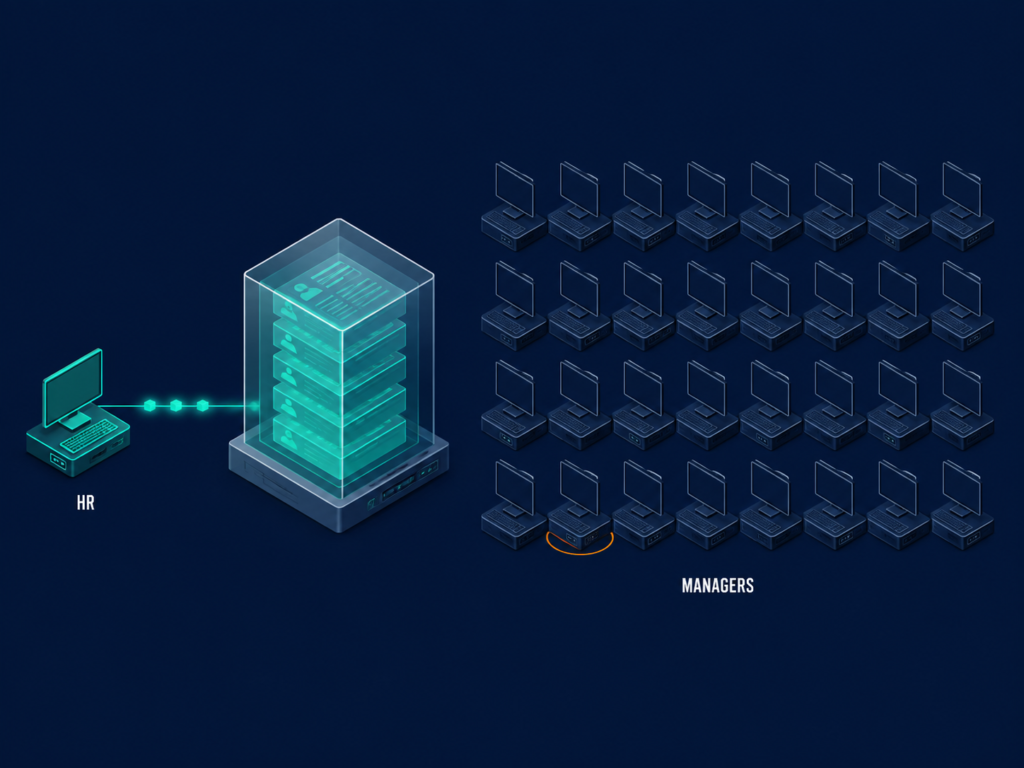
A people system that only HR touches produces only HR data. That is the whole argument for weighting usability at 15% rather than filing it as a nice-to-have.
1. HiBob:
HiBob is a core HR platform built around the employee and manager experience rather than around records administration. It was designed for mid-sized companies with people in several countries and no appetite for a systems administrator.
Its differentiator is adoption. Of everything in this band, it is the platform most likely to get non-HR managers logging in without being chased.
- Org charts that hold dotted-line reporting, which is precisely where a spreadsheet-based chart collapses past 300 people
- Time and attendance, replacing the departmental leave trackers that never reconcile with payroll
- Compensation management, replacing the annual review spreadsheet that circulates by email and gets version-forked
- Performance and engagement surveys, replacing a separate survey subscription
- Embedded payroll in supported regions, plus a basic recruiting module
Pricing: quote only, with no published figure. Third-party trackers put it at roughly $16 per employee per month, which is a third-party estimate rather than a HiBob figure and should be treated as a starting point for negotiation, not a budget line. Confirm on hibob.com before you model anything.
Free trial: none. The sales process is demo-led, which means your evaluation depends entirely on how hard you push for a sandbox loaded with your own data.
Ratings: a G2 Leader in Core HR with among the highest user-satisfaction scores in the mid-market grid, and named by SelectSoftware Reviews as a leading customisable HRIS for international small and mid-sized businesses.
Pros
- A manager can approve leave and see their team’s absence calendar in two clicks, without a training session
- Org and reporting structures handle matrix and dotted-line setups natively
- Engagement surveys sit inside the same record as performance, so the two data sets are joinable
Cons
- Payroll is native only in supported regions, so a team spread outside that footprint runs a second payroll provider permanently
- The recruiting module is basic enough that any hiring-heavy team keeps a dedicated ATS alongside it
- No published pricing, so your benchmark is whatever your peers will tell you they paid
Choose it if manager adoption is the thing that failed last time and your payroll footprint sits inside the supported regions. Skip it if you hire at volume or run payroll across markets HiBob does not cover natively, because the manager is the system only holds when the manager is not also being asked to work around a payroll gap.
2. Rippling
Rippling is a workforce platform that puts HR, payroll, device provisioning, and app access on one employee record. It was built for companies that were running those four functions out of four disconnected checklists.
The value is in the joins, not the modules. Hiring someone in Rippling can create the employee record, order the laptop, and provision the Google account from the same workflow.
- Core HR and payroll, replacing the reconciliation between your HRIS export and your payroll bureau file
- Device and app management, replacing a separate MDM tool and the IT onboarding ticket queue
- Benefits administration and time and attendance in the same record
- Expense and spend management, replacing a standalone expense subscription for smaller finance teams
- Rippling Recruiting, more configurable than most embedded ATS modules
Pricing: a published starting point of $8 per employee per month for the core platform plus a monthly base fee reported at roughly $35 to $40, with payroll priced separately at roughly $35 per employee per month. Only some module pricing is published, so verify the current structure at rippling.com/pricing. Realistic all-in mid-market cost lands materially above the entry figure once the modules a mid-market team needs are attached.
Free trial: 14 days reported.
Ratings: G2 4.8 from roughly 13,097 reviews, and a Leader in the G2 Spring 2026 Core HR Grid including the mid-market segment. Read that review count as market presence rather than as a quality gap over smaller vendors.
⚠ WATCH OUT
Watch out: the modular model is the cost trap in this list. Every capability is a separate line item, and the quoted entry price bears little relation to the invoice once HR, payroll, benefits, time, and device management are all switched on.
Price the bundle you will run in year one, get the year-three modules priced at the same time, and hold both in the contract.
Pros
- One onboarding workflow creates the record, provisions the hardware, and grants the app access
- US payroll and tax handling is a genuine product rather than an integration
- The largest verified review base in this list, so peer evidence is easy to find
Cons
- Module-by-module pricing makes three-year cost hard to forecast without a written bundle
- International payroll coverage is thinner than the US product
- The recruiting module does not replace a specialist ATS for a recruitment-led team
◆ FROM THE LAB
The Sofia lens: when I ran the numbers on internal versus external hiring, Time-to-Productivity came out at 28 days for internal moves and 67 days for external ones. Provisioning delay is a measurable slice of that gap, and it is the slice software can close.
Choose it if your onboarding currently crosses HR, IT, and finance with three checklists and a shared spreadsheet, and you want onboarding that starts before day one. Skip it if your payroll centre of gravity is outside the US, or if you need one predictable annual number rather than a stack of line items.
3. Personio
Personio is a core HR platform built around European and UK employment administration, with recruiting and performance layered on top of that spine. The buying case is regional fit rather than feature count.
It treats contracts, statutory absence types, and digital personnel files as product, not configuration. That is a meaningful distinction when your works council asks for a document trail.
- Digital personnel files with contract templates by country, replacing the shared drive folder structure nobody trusts
- Statutory absence and time tracking with local leave types built in, replacing per-country leave spreadsheets
- Payroll integration or embedded payroll depending on the market
- Personio Recruiting and a performance and development module for steady-state cycles
Pricing: Quote only. Third-party estimates for the full suite cluster around 12 to 20 euros per employee per month with entry configurations reported lower, and that range is a third-party figure rather than a Personio one. Verify at personio.com.
Free trial: 14 days reported.
Ratings: G2 approximately 4.4 from roughly 811 reviews. That review base is a fraction of the US-centric platforms, and the reason is geography rather than quality.
◆ PRO TIP
The catch: if you shortlist on review count, Personio loses to Rippling before anyone opens a demo. A European buyer who does that has just eliminated the platform most likely to handle their statutory requirements natively.
Pros
- Country-specific contract templates and statutory absence types ship as standard rather than as configuration work
- Document handling is built for audit and works council requests
- Strong core HR spine that the recruiting and performance modules sit cleanly on top of
Cons
- The embedded ATS is adequate for steady-state hiring and will not carry volume or specialist technical recruitment
- North American coverage is the weakest of the mid-market four
- Quote-only pricing with a small public review base makes benchmarking harder
Choose it if your headcount sits mostly in Europe or the UK and you have been sold US-first platforms that treat local employment law as a configuration problem, because compliance is a system requirement, not a policy document. Skip it if your growth plan is North America first, or if hiring volume is the constraint you are buying to solve.
4. Tellent
Tellent bundles three products: Hire, Manage, and Grow. The hiring module, Recruitee, is a genuine specialist ATS rather than the token embedded module every other platform in this band ships.
For a 50 to 500 person company hiring hard, that single fact is the deciding difference. It is also why Tellent sits in this section rather than in the talent-first group.
- Recruitee, with multi-stage pipeline automation and a careers site builder, replacing the ATS you would otherwise buy in month fourteen
- HR Manage for records, absence, journeys, and reporting
- HR Grow for performance and development cycles
- Tellent Intelligence across the modules
Pricing: quote only, modular by product. Verify at tellent.com.
Free trial: 18 days reported on Tellent’s own comparison table, which is the longest in this list.
Ratings: not verified at publication. Tellent HR and Recruitee are rated as separate products on the review sites, so check both before you treat a score as covering the suite.
◆ FROM THE LAB
The Sofia lens: powerful recruiting platforms are platforms, not plug-and-play products. They reward teams with process maturity and a named owner, and they punish teams who expected the software to supply the process.
Apply that to the direction of your decision, not just the vendor. If hiring volume is your binding constraint, buy the recruiting engine first and let core HR attach to it. I have watched more companies regret the reverse order than regret this one.
Pros
- The ATS handles multi-stage pipelines, interview scheduling load, and careers-site branding without a second system
- Modular purchase means you can start with hiring and add core HR when it hurts
- Longest reported free trial in this comparison
Cons
- Least established as a full HRIS of the mid-market four; the recruiting product carries the reputation
- Payroll is not native, so expect an integration and an owner for it
- Ratings are split across two product listings, which makes peer evidence harder to read
Choose it if you are hiring 50 or more people a year and your current all-in-one ATS is already breaking, which is the moment you need an ATS and not an HRIS module. Skip it if hiring is steady, payroll consolidation is the priority, or you need the most mature core HR record in the band.
People Management Software for Small Businesses and First HR Systems (Under 100 employees)
Most listicles drop a 15-person startup and a 900-person manufacturer into the same list and recommend Workday to both. That is not a recommendation, it is a shrug.
Your primary risk at this size is not choosing wrong. It is over-buying, and paying enterprise money for capability you will not touch for four years.
The old way
- Buy the platform you will grow into
- Pay for four years of unused capability
- Treat a future migration as a failure to avoid
The Lab Way
- Buy for the next 24 months of headcount
- Insist on clean data export at contract stage
- Diarise the migration as a scheduled event
Here’s what changes at this size:
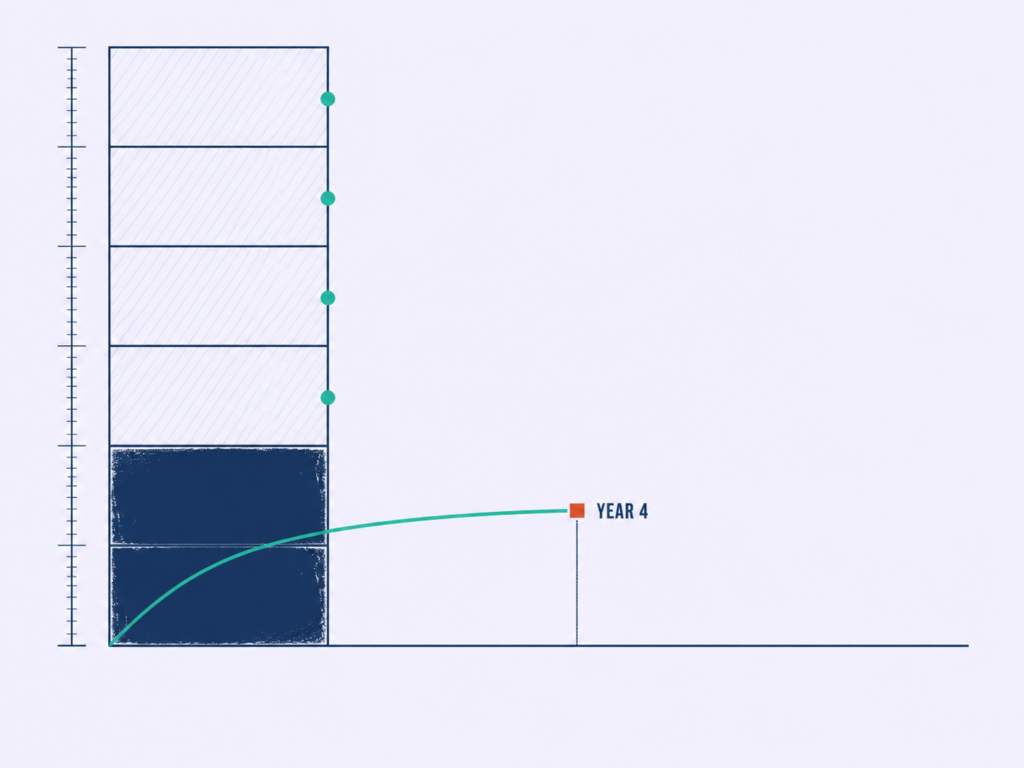
You have no systems administrator and you will not be getting one. Every platform below has to be runnable by a two-person HR team with other jobs.
5. BambooHR
BambooHR is the default first system for US small and mid-sized businesses: clean employee records, workable self-service, and a support model built for teams without a dedicated systems owner. It is the safest choice in this band.
It is also rarely the most powerful. Those two facts are related, and for a 60-person company that trade is usually correct.
- Core employee records, replacing the payroll portal, the shared Google Sheet, and three managers’ inboxes
- PTO and time tracking with approval routing, replacing email leave requests
- Onboarding workflows with document signature, replacing the new-starter checklist in a Word file
- Performance management and a basic ATS, with payroll and benefits available as add-ons
Pricing: quote-led. Third-party reporting through 2026 places Core at roughly $10 per employee per month, Pro at roughly $17, and Elite at roughly $25, with a flat monthly minimum reported at $250 for companies under about 25 employees. Those are third-party figures, not BambooHR figures, so confirm at bamboohr.com/pricing.
Free trial: 7 days reported.
Ratings: G2 4.4 from roughly 5,879 reviews, with a reviewer base concentrated in the size band it is recommended for. That alignment is what makes the score usable here.
Pros
- A manager can approve a leave request from the email notification without ever learning the interface
- Onboarding and document signature work out of the box with no configuration project
- Support model assumes you have no internal systems owner, which matches reality at this size
Cons
- Reporting is the weakest part of the product relative to price; anything past headcount and turnover goes to a spreadsheet
- The sub-25 headcount minimum makes it expensive per head for very small teams
- Payroll and benefits are add-ons, so the quoted core price is not the running cost
Choose it if you are consolidating scattered HR data for the first time and you want the system live in weeks, having already decided what to fix before you automate it. Skip it if workforce analytics is the reason you are buying, because you will be exporting to a spreadsheet inside a quarter.
6. Gusto
Gusto is payroll-first with capable HR wrapped around it. It is not an HRIS with payroll attached, and the ordering matters more than the marketing suggests.
For a US small business whose actual pain is running payroll, filing taxes, and administering benefits correctly, that ordering is a feature rather than a compromise.
- Full-service payroll and tax filing, replacing the bureau relationship and the quarterly filing anxiety
- Benefits administration in the same system that runs the deductions
- Time tracking and hiring and onboarding workflows
- Basic performance tools on the higher tiers
Pricing: published and transparent, which is rare in this list. Simple at $49 per month plus $6 per person, Plus at $80 plus $12 per person, Premium at $180 plus $22 per person, and contractor-only at $35 plus $6 per contractor. Confirm at gusto.com/pricing.
Free trial: none, though promotional free months appear periodically.
◆ PRO TIP
The catch: small-company buyers conflate payroll software with people management software because the vendors encourage it. Naming which of the two problems is urgent saves you from solving the wrong one for three years.
If you want the category boundary drawn properly, payroll is not people management, and the distinction changes which modules a vendor quotes you.
Pros
- Fully published pricing, so you can model three-year cost without a sales call
- Payroll, tax filing, and benefits deductions reconcile because they are one system
- Contractor-only tier for companies whose workforce is mostly not employees
Cons
- Recruiting features exist only on higher tiers and are minimal
- Performance and engagement capability is thin next to any talent-first platform
- Stops scaling as a people platform somewhere around 100 to 150 employees, even though payroll keeps working
Choose it if payroll correctness is what keeps you awake and your people processes are still simple enough to live alongside it. Skip it if you are past 120 people and cannot answer a question about performance history, because the data will not be there when you need it.
7. Zoho People
Zoho People is the value pick with a real caveat attached. The published per-user pricing is unusually low and the functional breadth is genuine, particularly if the company already runs other Zoho products.
The integration ecosystem outside Zoho is where it charges you back, in engineering time rather than licence fees.
- Core HR, leave management, and attendance with shift scheduling, replacing three separate small subscriptions
- Timesheets and performance appraisal cycles
- Cases and workflow automation for HR request handling
- An LMS on higher tiers
Pricing: published per user per month. Essential HR at $1.50, Professional at $2.50, Premium at $3.50, Enterprise at $5.00, and People Plus at $10.00, with annual billing assumed. This is the most price-volatile entry in the list, so check zoho.com/people/pricing on the day you build the model.
Free trial: available, commonly 15 to 30 days by plan.
Ratings: the Capterra reviewer base skews heavily to small business at roughly 77% and to IT services at roughly 25%. If you are a 500-person manufacturer, read those scores as evidence from a different company than yours.
Pros
- Published pricing at a level that leaves budget for the analytics work that changes decisions
- Attendance, shifts, and leave in one place, which is unusual at this price
- Deep native joins if you already run Zoho CRM, Books, or Desk
Cons
- Integrations outside the Zoho suite need more build work than any mid-market platform above
- Interface density is a genuine adoption risk with non-HR managers, the opposite trade-off to HiBob
- Reviewer profile skews small enough that mid-market evidence is thin
◆ FROM THE LAB
Real talk: I do not accept the reflex that cheap software is a false economy. Price the alternative honestly instead.
A $3.50 per user platform that managers use beats a $16 platform they do not, and the difference between the two funds the reporting capability that changes a decision. Score it on the same seven criteria as everything else and let the limitation line carry the caveat.
Choose it if budget is the binding constraint and you want to understand the real cost of an HR system before committing to a mid-market contract. Skip it if manager adoption is your known failure point, or your stack is Microsoft and Google with nothing from Zoho in it.
8. Factorial
Factorial is the operations-flavoured SMB platform: HR core plus time tracking, shifts, expenses, documents, and light project and asset management. It is strongest in Europe.
It fits companies where HR and office operations sit with the same two people, which describes a large share of European businesses under 200 employees.
- Core HR and document management, replacing the shared drive and the signature chase
- Time tracking, clock-in, shift management, and absence in one record
- Expenses, replacing a standalone expense tool for a small finance function
- ATS, performance, and reporting with an AI assistant layer
Pricing: hub-based and published, with the entry tier reported from roughly $5.75 to $8.00 per user per month for the operations hub, the people hub around $9 to $11, and the full suite around $14 to $17. Factorial’s own pricing page and third-party trackers disagree on the entry figure, so resolve it against the live page and use only the official number.
Free trial: available.
Ratings: not verified at publication.
Pros
- Time, shifts, expenses, and documents on one employee record rather than four subscriptions
- Published hub pricing, so scope and cost move together
- Built around European working-time and absence conventions
Cons
- Breadth is bought at the cost of depth; several modules are adequate rather than good
- Analytics is reporting rather than people analytics
- US payroll and compliance coverage is not a strength
⚠ WATCH OUT
Common mistake: stacking four point tools because each one is best in class. Count the reconciliations instead.
Four tools that each save an hour a week but need two hours of reconciliation are a net loss, and the loss lands on the person least able to absorb it.
Choose it if your HR and operations workload sits with the same small team and you are currently paying four vendors to hold one employee record. Skip it if your headcount is US-weighted, or if analytics depth is the reason for the purchase.
9. PeopleForce
PeopleForce covers recruiting, core HR, performance, time off, and engagement in one product, with a reputation for being learnable in days rather than weeks. Its reviewer base is dominated by small IT and services companies.
That last point is useful rather than damning. It tells you exactly which kind of company has this running in production.
- PeopleRecruit and PeopleHR, replacing a separate ATS subscription for a team hiring steadily
- PeoplePerform and PeoplePulse for review cycles and engagement measurement
- PeopleTime for tracking, plus desk and workflow handling for HR requests
Pricing: modular and published by product at peopleforce.io/pricing.
Free trial: available.
Ratings: the Capterra reviewer profile is roughly 78% small business and roughly 38% IT and services.
Pros
- Full lifecycle coverage from one vendor without an enterprise implementation
- Published modular pricing, so you buy what you run
- Short learning curve for a one or two person HR function
Cons
- Thin presence in North America
- Limited native payroll, so expect an integration or a separate provider
- Multi-entity structures and enterprise compliance sit outside its comfort zone
Choose it if you are a lean HR function that cannot run five systems and companies of your shape and sector are already running it. Skip it if you operate multiple legal entities or need native payroll in North America.
Enterprise People Management Platforms (1,000+ Employees, Multi-Country)
Every competitor listicle includes Workday and SAP as table stakes, then evaluates them on free trial availability and ease of setup. At this scale those criteria are close to meaningless.
What decides an enterprise outcome is total implementation cost, ecosystem dependency, the internal capability you have to staff, and what it costs to leave.
Here’s what decides this:
At 5,000 employees the licence line is not the number that matters. The productivity line is, and it is two orders of magnitude larger.
A platform that improves manager capability across a workforce that size is a productivity investment wearing an HR cost code. Gallup puts the global cost of low engagement at approximately $10 trillion in lost productivity, around 9% of global GDP. Translation: your share of that number is larger than your entire HR technology budget, and it is the number your CFO should be shown.
Source: Gallup, State of the Global Workplace 2025
The old way
- Budget the licence
- Treat implementation as a one-off project cost
- Staff the run phase from existing HR headcount
The Lab Way
- Budget licence, implementation, and permanent run capability as one number
- Name the owner of the run phase before signature
- Attach a salary to that third line and defend it once
10. Workday HCM
Workday is not competing with the mid-market platforms above. It is competing with your finance system.
Its case is the shared data model across HCM and financials, which is what makes credible workforce cost planning possible. Its cost is the ecosystem you have to staff in order to run it.
- Multi-entity org structures modelled properly, replacing the org hierarchy maintained in three places
- Workforce cost modelling against the general ledger, replacing the annual planning spreadsheet finance rebuilds every cycle
- Global payroll, recruiting, talent and performance, compensation, and learning in one suite
- Workforce planning and analytics with a skills layer
Pricing: no public list price, and every quote is negotiated. Third-party benchmark reporting places core HCM in the region of $20 to $32 per employee per month at enterprise scale, rising toward $30 to $45 with talent modules attached. Treat that as a third-party benchmark range rather than a Workday figure.
Free trial: a 30-day trial is reported, though in practice this is a sales-led evaluation.
Ratings: G2 4.0 from roughly 1,329 reviews, the lowest satisfaction score in this list. That is characteristic of enterprise systems where the reviewer is usually an end user rather than the buyer, and it should be read as a signal about the employee experience rather than about the workforce planning capability.
Implementation reality: partner-led implementations for a 2,000-person company are measured in quarters, not weeks, and implementation cost frequently approaches or exceeds first-year licence.
⚠ WATCH OUT
Warning: no competitor listicle on this query will tell you that implementation can cost as much as the software. Present the licence number to your board without the implementation and run-capability lines attached and you will be back for a supplementary budget within two quarters.
You get one credible ask. Use it on the full number.
◆ FROM THE LAB
The Sofia lens: platforms of this class are platforms, not plug-and-play products. I have said the same thing about enterprise recruiting systems for years, and the rule transfers exactly.
They reward organisations with named system admins and change-management discipline. They punish lean teams who assumed configuration would be someone else’s job. Without a named team, configuration debt accumulates and the reporting layer that justified the purchase never gets built.
Pros
- One data model across HCM and financials, which makes workforce cost planning defensible to finance
- Statutory reporting across jurisdictions handled as product rather than as local workaround
- Depth in compensation, succession, and skills that nothing in the mid-market band approaches
Cons
- Requires permanent internal ownership; a named Workday team is a running cost, not a project
- Implementation frequently approaches or exceeds first-year licence
- Lowest end-user satisfaction score in this comparison
Choose it if workforce cost planning against the ledger is the outcome you are buying and you can fund a permanent internal team, which is exactly what the business case template has to carry. Skip it if nobody in your organisation will own configuration after go-live.
11. SAP SuccessFactors
SuccessFactors is the ERP-aligned enterprise suite. Its strongest case is an organisation already running SAP finance and supply chain, where integration and data model consistency outweigh product-level preferences.
Evaluate it on module composition, because that is how it is bought and priced.
- Employee Central as the core record, plus Employee Central Payroll where the market supports it
- Recruiting and Onboarding, replacing the regional ATS estate that global companies accumulate
- Performance and Goals, Compensation, Succession and Development
- Learning and People Analytics
Pricing: module-based with no public list. Third-party benchmark reporting places Employee Central core HR at roughly $6 to $8 per employee per month at list, with negotiated full-suite configurations around $28 to $38 per employee per month at enterprise scale. List price and negotiated price diverge sharply above 5,000 employees, so treat any published figure as a starting position.
Free trial: a 30-day basic trial is reported.
Ratings: not verified at publication.
Implementation reality: module-by-module rollouts are the norm and sequencing is the main determinant of success. A recruiting-first rollout and a core-HR-first rollout produce very different first years for the HR team.
◆ FROM THE LAB
My experience: I spent years running high-volume Talent Acquisition inside a large industrial organisation where the ERP decision had already been made by finance, long before HR had a view. Fighting that decision would have cost me a year and won me nothing.
Spending the same political capital on rollout sequencing is what changed the outcome. Which module goes first is the variable you control, and it decides whether HR earns credibility in month four or inherits a backlog.
Pros
- Data model consistency with an existing SAP finance and supply chain estate
- Module-by-module purchase lets you sequence the rollout around business priority
- Depth in succession, learning, and compensation for large multi-country populations
Cons
- User experience is uneven across modules because the suite was assembled over time
- Licence complexity makes true cost hard to forecast without procurement support
- Sequencing errors are expensive and hard to reverse once a module is live
Choose it if the ERP decision is already made and your job is to get the best HR outcome inside that constraint, which makes sequencing an HR transformation the real skill. Skip it if you have no SAP estate, because the integration argument is the whole argument.
12. ADP
ADP is the payroll-first option with a product ladder by company size: Run, Workforce Now, and Vantage. The case is payroll reliability, tax compliance across jurisdictions, and a service model built for complexity.
The HR product is competent and is rarely the reason anyone buys it.
- Payroll and multi-state or multi-country tax, replacing the specialist advice you currently buy in twice a year
- HR administration, benefits, and time and attendance
- Talent and recruiting on mid-market and enterprise tiers only
- Analytics and external benchmarking data
Pricing: quote only across all tiers. The product-ladder structure makes any single per-employee estimate misleading, so we do not publish one.
Free trial: none, though promotional free-month offers are common.
Ratings: not verified at publication, and scores differ materially between the Run, Workforce Now, and Vantage product listings.
Pros
- Payroll accuracy at scale, including unionised and multi-state populations
- Service model built to absorb complexity rather than push it back to you
- Benchmarking data that most platforms in this list cannot offer
Cons
- Recruiting and talent capability is restricted to higher tiers
- The interface is dated relative to anything in the mid-market section
- Moving up the product ladder is often a migration rather than a plan change
◆ PRO TIP
The honest downside: buying ADP means accepting an HR experience that will not delight anyone, in exchange for a payroll function that will not embarrass you. That is a rational trade when a payroll error at scale is your highest-cost failure mode.
Identify your most expensive failure mode first, then buy against it. If your workforce is largely hourly and shift-based, that calculation changes again.
Choose it if payroll complexity is genuine and you have been shown platforms designed for salaried knowledge workers. Skip it if performance, engagement, or hiring is the actual gap, because you will be buying a second system for it within the year.
Performance and Talent-First People Management Platforms
Some buyers do not have a core HR problem. Their records are fine, payroll runs, and the gap is that nobody can evidence a promotion decision.

A talent-first people management platform is a layer, not a replacement. Buying one to fix a records problem, or buying an HRIS to fix a manager problem, is how organisations end up with two systems and neither answer.
The old way
- Buy a performance tool to fix a performance problem
- Launch a review cycle and hope managers engage
- Measure completion rates and call it adoption
The Lab Way
- Fix the manager cadence first, then buy the tool to scale it
- Run one-to-ones for a quarter before configuring anything
- Measure whether a promotion case can be evidenced from the data
Here’s the deal:
Software makes an existing practice consistent. It does not create one.
13. Lattice
Lattice is the performance and engagement layer a company adds when core HR is adequate but manager practice is not. Reviews, goals, one-to-ones, engagement surveys, and career frameworks sit in one product, with an HRIS layer available for teams that want to consolidate.
It is the most established product in this group and the one most likely to already be running at a company on your shortlist call.
- Performance reviews and 360s, replacing the review form circulated as a Word document
- Goals and OKRs tied to individual records, replacing the goals deck nobody opens after January
- One-to-ones and continuous feedback, replacing the manager’s private notes app
- Engagement surveys and compensation planning in the same data set as performance
Pricing: entry pricing reported from roughly $11 per user per month, modular by product. Third-party trackers disagree on the entry figure, so publish only what lattice.com/pricing states on the day.
Free trial: none reported. The process is demo-led.
Ratings: not verified at publication.
◆ PRO TIP
The catch: Lattice is a manager-behaviour product wearing a software interface. Deploy it into an organisation where managers do not run one-to-ones and you get low completion rates and an expensive survey tool.
That is an organisational readiness constraint, not a product defect. Read it as a warning about your rollout, not about the vendor.
Pros
- Performance, goals, feedback, and engagement in one data set, so a promotion case can be evidenced rather than remembered
- Career growth frameworks that give HR something concrete to hand a manager
- Optional HRIS layer if you later want to consolidate
Cons
- Produces very little value where manager cadence does not already exist
- No free trial, so evaluation depends on a sandbox you have to negotiate for
- An additional line item unless you take the HRIS layer as well
Choose it if your performance process runs on a spreadsheet and a calendar reminder, and you have already lost a promotion argument for lack of evidence. Skip it if your managers do not currently hold regular one-to-ones, because the tool will measure that fact rather than fix it.
◆ FROM THE LAB
My experience: in one of the organisations I worked with, external hiring costs were climbing and new hires were taking too long to become productive. The instinct in the room was to buy better sourcing. I argued the opposite.
We introduced a First Look policy: a 48-hour internal posting window before any role went external, with recruiters actively tapping internal candidates rather than waiting for applications. It was a deliberately small change to the process and a deliberately large change to the sequence.
Within the year, 23% of our hires were internal moves. Time-to-Productivity came out at 28 days for those internal hires against 67 days for external ones. Same roles, same managers, less than half the ramp.
Here is the part that belongs in a software decision. The policy only worked because skills, performance history, and manager feedback were visible in one place the moment a role opened. Without that, a 48-hour window is just a delay.
Your best candidate is often already on payroll. Whether you can find them is a question about your platform, and it is the question to put to any talent-first vendor before you sign. If you want the full mechanics, I have written elsewhere on internal mobility as a sourcing channel.
That is also why I hold a slightly unpopular position on retention. Retention problems are mostly systems failures, not compensation failures.
Unclear career paths, weak manager capability, and no visible internal mobility drive more exits than pay does, past a threshold. A talent-first platform is a bet on fixing that system, which is the only reason it belongs in a people management shortlist at all.
14. Leapsome
Leapsome is the modular performance, engagement, and learning platform with the most developed AI assistance in this group: review drafting, feedback quality prompts, and competency mapping.
It suits mid-market and larger teams building a structured development framework rather than just running review cycles.
- Reviews and 360s with AI drafting assistance, replacing the blank review form managers avoid for three weeks
- Competency frameworks and learning paths, replacing the career matrix spreadsheet nobody maintains
- Goals and OKRs, engagement surveys, and compensation review
- Meetings and continuous feedback tied to the same records
Pricing: modular. Third-party reporting suggests roughly $3 to $7 per employee per month per module, with typical multi-module configurations landing around $11 to $20 per employee per month. Those are third-party estimates, so confirm at leapsome.com/pricing.
Free trial: 14 days reported.
Ratings: G2 approximately 4.8. Confirm the current review count before quoting it.
⚠ WATCH OUT
Warning: an AI-drafted performance review that a manager signs without reading is worse than no review at all. It puts a permanent, official-looking judgement on an employee record that no human made.
My position on AI in HR has not moved: use it as a co-pilot, never as the decision-maker, with human-led validation at every decision point. Ask the vendor what the AI writes, who reviews it before it reaches an employee, and what happens to the input data. Then read more on AI as a co-pilot, not a decision-maker.
Pros
- Competency frameworks and learning paths connect to review data rather than sitting beside it
- Modular purchase means you can start with reviews and add learning later
- AI assistance is applied to drafting quality, which is a defensible use
Cons
- No recruiting module at all
- Not a system of record, so it sits alongside an HRIS rather than replacing one
- An additional line item rather than a consolidation play
Choose it if you have been asked to build career frameworks and development paths with nothing but a competency spreadsheet. Skip it if you need a system of record, or if your AI governance position is not yet written down.
15. Peoplebox
Peoplebox is OKR-and-alignment first: goal cascades that connect to the work systems teams already use, with review cycles built on top of that data and an AI recruiting layer attached.
It is strongest where leadership already runs on OKRs and the gap is connecting them to individual performance.
- OKRs and goal alignment pulling from the tools where work happens, replacing the quarterly goals spreadsheet
- Performance reviews and 360s built on that goal data rather than on recollection
- One-to-ones, engagement, and people analytics
- AI-assisted talent acquisition
Pricing: quote only. Verify at peoplebox.ai/pricing.
Free trial and ratings: not verified at publication.
Pros
- Goal data and review data live in the same system, so performance conversations are evidenced
- Integrations pull progress from the tools where the work happens
- People analytics that connect execution to individual outcomes
Cons
- Not a system of record and not a core HR platform; it assumes an HRIS exists
- The OKR strength is wasted on organisations that do not already run goal cycles with discipline
- Pricing and ratings both require a direct check before shortlisting
Choose it if you run OKRs in one tool and reviews in another, and discovered at review time that the goals were never connected to anything a manager could rate. Skip it if your goal-setting discipline is aspirational rather than actual.
People management Platforms for Deskless, Shift-based and Globally Distributed Teams
Manufacturing, retail, logistics, healthcare, and hospitality employ enormous numbers of people who never open a laptop. Distributed companies with contractors across ten countries have a compliance problem no US-centric HRIS solves.

Both profiles are ignored by almost every ranking listicle on this query. Generic HRIS platforms fail them for the same reason: they were designed around a salaried employee sitting at a desk with a work email address.
The old way
- Buy an HRIS designed for salaried staff
- Bolt a scheduling tool onto it
- Discover overtime at payroll run
The Lab Way
- Buy the scheduling and labour-cost engine first
- Attach HR administration to it
- Track labour cost against budget weekly, not monthly
16. Workforce.com
Workforce.com is an operational workforce platform for hourly labour: scheduling built around demand forecasting, award and overtime interpretation, real-time attendance, and labour cost control against budget, with HR administration attached.
The buying case is labour cost and compliance on hours. Employee experience is a secondary benefit rather than the pitch.
- Scheduling with demand forecasting, replacing the store or plant manager’s spreadsheet rota
- Biometric or kiosk clock-in, replacing paper timesheets and the trust-based hours conversation
- Award and overtime interpretation, replacing the manual premium calculations that surface at payroll run
- Labour cost reporting against revenue, plus leave, onboarding, and payroll integration
Pricing: quote-led with published entry tiers on the vendor site. Verify at workforce.com/pricing.
Free trial and ratings: not verified at publication.
Pros
- A manager can see labour cost as a percentage of revenue for last week without asking finance
- Overtime and premium rules are interpreted before payroll, not discovered during it
- Built for populations with no work email address and no laptop
Cons
- Performance, development, and engagement capability is minimal
- Salaried knowledge-worker populations are not the design centre
- Pricing and ratings both need direct verification before shortlisting
Choose it if a plant or store manager is scheduling 200 hourly staff in a spreadsheet and nobody can answer what labour cost was last week. Skip it if your workforce is mostly salaried and your gap is performance data.
Here’s what changed everything:
Engineering and manufacturing environments, and hiring at volume inside them, is where I have spent most of my career. So this next part is not theory.
◆ FROM THE LAB
Real implementation: I was once handed a ramp-up of 350 to 500 hires across customer support, operations analysts, junior engineers, and sales support, with 8 to 12 weeks to deliver against a fixed business start date. Limited interviewer capacity, high drop-off risk, and a quality bar nobody was willing to lower.
We mapped weekly hiring targets backward from the go-live date, then forecast recruiter bandwidth, interviewer availability, and sourcing throughput against those targets. Sourcing ran multi-channel across job portals, referral drives, early-career funnels, and SLA-tracked vendor partnerships. Screening was standardised, interviews ran in batches with structured scorecards, and we held daily recruiter stand-ups against a live tracker.
We delivered 420 hires in 10 weeks. Average Time-to-Fill fell from 32 days to roughly 18 to 20. Offer-to-join came in above 90%, 90-day retention held at 85 to 88%, and recruiter productivity improved by around 35%. The project launched on time.
Here is the lesson for your platform decision. None of that cadence is heroic; it is operational. The system either carries a daily tracker, batch scheduling, structured scorecards, and vendor SLA data, or the whole cadence collapses back into spreadsheets by week three.
Ask any vendor to show you week six of that plan, not day one. I have written up the full mechanics in the Lab’s work on high-volume hiring systems.
17. Deel
Deel is global employment infrastructure: employer of record, contractor management, and global payroll, with an HR layer built on top. Companies buy it to hire legally in a country where they have no entity.
The HR module is the consolidation benefit, not the purchase driver. Judging it as a general people management platform misses what it is for.
- Employer of record, replacing the local entity you would otherwise incorporate to hire three people
- Contractor management and compliance, replacing the country-by-country classification advice you buy ad hoc
- Global payroll, immigration and visa support, and equipment provisioning
- Core HR with performance and engagement available as add-ons
Pricing: published by product. Deel HR core is reported from roughly $5 per employee per month, with recruiting and development modules priced separately at roughly $14 and $22, contractor management from roughly $49 per contractor per month, employer of record from roughly $599 per employee per month, and global payroll from roughly $29 per employee per month. These figures move and vary by country, so verify at deel.com/pricing.
Free trial: none.
Ratings: not verified at publication.
◆ PRO TIP
The honest downside: employer of record costs compound fast and are rarely the cheapest long-term structure once you pass a handful of employees in one country. The convenience is real and so is the run rate.
Set an entity threshold at the outset. Decide now the headcount and duration at which you will incorporate, write it down, and treat employer of record as a bridge with a defined end rather than a permanent operating model.
Pros
- Legal hiring in countries where you have no entity, in weeks rather than quarters
- Contractor classification handled as product rather than as an annual audit risk
- Published pricing by product, which is unusual in this part of the market
Cons
- Thinner than anything in the mid-market section as a single-country people platform
- Employer of record run rate becomes expensive past a handful of people per country
- Country coverage claims hide whether payroll is native or partner-delivered in your specific markets
Choose it if you are hiring your first people in countries where you have no legal presence and want the exposure handled at contract stage rather than at audit, which is the whole discipline of hiring across borders. Skip it if your workforce is concentrated in one or two countries where you already have entities, because you are paying a premium for a problem you do not have.
One question to put to every global vendor: which of the countries we hire in are covered by native payroll, and which are delivered through a local partner. The country count on the homepage does not answer that.
What People Management Software is (and how it differs from an HRIS, HCM, HRMS and Talent Management System)
The Definition, and The Category Map
People management software is a platform that centralises employee data and the processes built on it, including records, onboarding, absence, performance, and reporting, so that HR and line managers work from one source instead of separate systems and spreadsheets. In practice, a people management platform is usually an HRIS or HCM sold on manager and employee experience rather than on records administration.
Most competitors open an article like this with that paragraph. We closed with it deliberately.
You have already seen the shortlist, which means you are reading this to write a requirements document rather than to browse. That changes what the acronyms are for.
Here’s the difference:
Buyers search for people hr business management software precisely because the category boundaries are unclear, and vendors have no incentive to clarify them. Here is the map.
| Category | Primary job | Stores vs does | Typical buyer | What it will not do |
|---|---|---|---|---|
| HRIS | System of record for employee data | Mostly stores | First-system SMB, 50 to 500 | Run talent strategy or workforce planning |
| HRMS | Records plus process tooling | Stores and does | Mid-market, 100 to 1,000 | Model workforce cost against the ledger |
| HCM | Records, process and strategic layer | Does, at enterprise scale | Enterprise, 1,000 plus | Run cheaply, or run without a named owner |
| Talent Management System | Hire-to-develop lifecycle | Does, assumes a record exists | Any size with a performance gap | Act as your system of record |
An HRIS stores and manages employee data. An HRMS adds process tooling such as time and performance. An HCM adds the strategic layer of talent, succession, and workforce analytics, and a Talent Management System covers hire-to-develop while assuming a system of record already sits beneath it.
◆ PRO TIP
Lab Note: “people management software” and “people management platform” are market language, not technical categories. They describe an HRIS or HCM positioned around what managers and employees do with the data rather than around administration.
That is not pedantry. It is the reason two quotes for apparently similar products can differ by a factor of three. If you need the neighbouring distinction, the Lab has covered ATS versus HRIS separately.
Why the label matters at buying time
The word you use in the RFP determines which module set the vendor quotes. That determines the price you are compared on.
- Scope creep. Ask for an HCM when you need an HRIS and you will be quoted for talent modules you will not deploy for three years. The quote is not wrong, it is just answering a question you did not mean to ask
- Module gaps. Ask for a people management platform when you have genuine payroll complexity and you will sit through a demo with no payroll in it, then discover the gap at contract stage
- Comparison error. Compare an HRIS price to an HCM price, conclude the HRIS is cheaper, and you have compared two quotes covering different scopes. This is the single most common reason buyers cannot explain why one vendor is half the price of another
⚠ WATCH OUT
Common mistake: sending the same RFP to eight vendors and comparing the totals. You will get eight quotes for eight different scopes and no way to reconcile them.
Define the module scope yourself, in writing, before the first demo. Then require every quote to price that exact scope and list anything outside it separately. That single discipline is worth more than any negotiation tactic, and it feeds directly into the six-step selection process.
The Real Cost of People Management Software (What the pricing page does not show)
Every ranking competitor on this query lists a per-employee-per-month figure and stops. Not one models three-year cost, and not one mentions what it costs to leave.
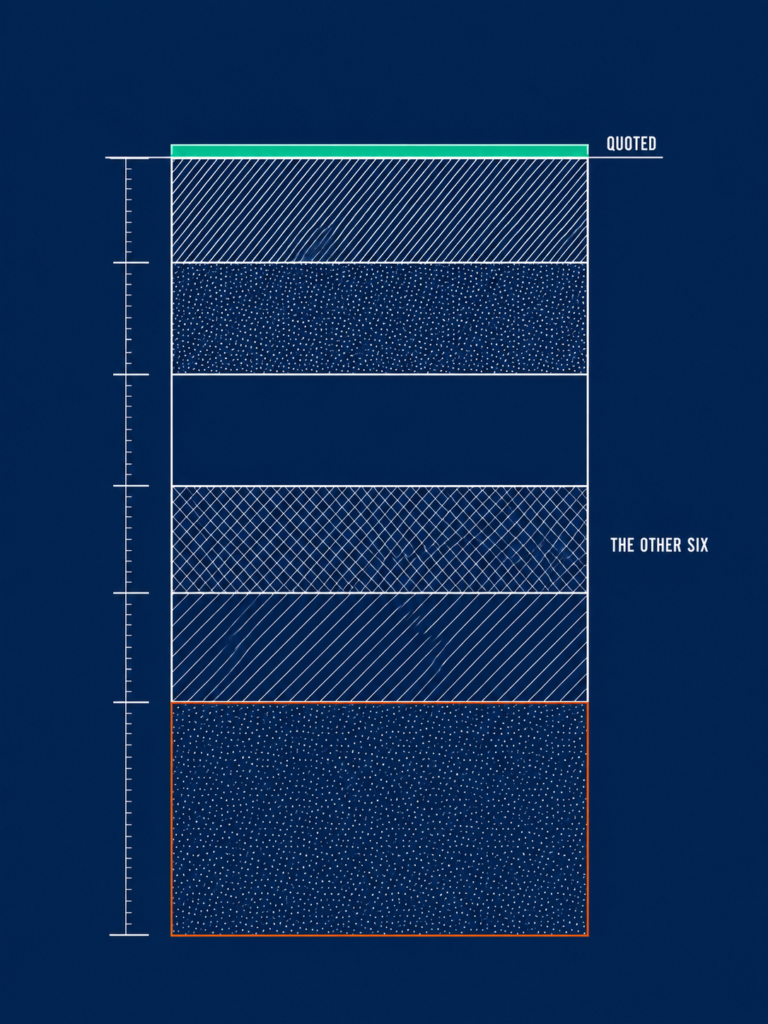
This is the section that makes your business case survive a CFO.
The old way
- Build the case on the licence figure the vendor gave you
- Get approval, then return for implementation budget
- Absorb the admin load into existing HR headcount
The Lab Way
- Build it on three-year total cost including internal headcount
- Present that number once and never come back
- Price the exit before you price the discount
Here’s what the pricing page leaves out:
1
Implementation and configuration
Quoted separately, or through a partner, and at enterprise scale frequently a significant multiple of first-year licence. Size it by asking for the implementation statement of work in writing before you sign the licence, not after.
Ask the vendor: what is in scope, what is out of scope, and what triggers a change request?
2
Data migration
The cost is not the export. It is the cleaning. Historical records, leave balances, and org history are where the weeks go, and they are your weeks rather than the vendor’s.
Ask the vendor: which fields do you migrate as standard, and which are chargeable?
3
Integration build and maintenance
Every connector to payroll, finance, IT, or an ATS is a build cost plus an ongoing break-fix cost. The second number is the one nobody budgets, and it recurs every time either side ships a release.
Ask the vendor: which integrations are supported natively, and who fixes them when they break?
4
Internal administration
Every vendor assumes you have a named system owner. Price that assumption as a fraction of a salary and put it in the business case, because it is a permanent cost, not a project one.
Ask the vendor: how many hours a week do comparable customers spend administering this?
5
Module creep
The modules you buy in year two at list price, rather than inside the original negotiation. This is the single most predictable overspend in HR technology and the easiest one to prevent.
Ask the vendor: will you hold today’s price for the year-three module set, in the contract?
6
Exit cost
What it costs to leave, including what data you can extract and in what format. Almost nobody asks, and it is the only leverage you will ever have again.
Ask the vendor, in writing: on termination, what data can we export, in what format, over what period, and at what cost?
⚠ WATCH OUT
Warning: exit terms are negotiated exactly once, at the moment you have the most leverage you will ever have and the least interest in using it. A clean data-export clause and a renewal uplift cap are worth more over three years than the discount most buyers trade them for.
Your negotiation levers: multi-year commitment, module bundling at contract stage rather than later, implementation credits, and price protection on renewal.
◆ FROM THE LAB
The Sofia test: the biggest cost movements I have ever produced in HR came from process design, not from software licences. Here is the one I point to.
We had a referral programme that was technically running and functionally dead. Open to everyone, promoted quarterly, and generating almost nothing. The received wisdom was to promote it harder.
Instead I looked at who was referring. It was 5 to 10% of employees, and they were carrying the programme. So we stopped treating referral as a democratic scheme and built one for them: Talent Scout status, VIP perks, and quarterly sessions where we told them what we were hiring for before anyone else knew.
One senior engineer produced 11 referrals. Nine were hired. Eight were still with the company at last count. Referral conversion for the power-user group ran at 82% against a company average of 31%, and we avoided roughly 40 lakh rupees in agency fees.
Democratic referral programmes underperform. Power-user activation works. And the reason this belongs in a cost section is that no licence decision on this page will move your numbers as far as that redesign did, which means the platform question is really this: does it make process design like that executable and measurable, or does it just store the outcome?
The same logic applies to how you present a cost case. When I took cost per hire for senior engineering roles from roughly 6.5 to 7.5 lakh rupees down to 3 to 3.8 lakh, a 45 to 55% reduction, with Time-to-Fill moving from 70 to 80 days down to 45 to 50, the credibility came from showing the full picture before and after.
Not one line item. The whole cost structure, with the drivers named. That is the same standard your HR technology case has to meet, and it is why the metrics finance actually asks for should shape the business case before you ever open a vendor deck.
The three-year TCO worksheet
Here is a worked example for a 400-employee company. Substitute your own inputs, because the model matters and the numbers do not.
| Cost line | Assumption used | Year 1 | Year 2 | Year 3 |
|---|---|---|---|---|
| Licence | 400 employees at $16 PEPM, 8% headcount growth a year | $76,800 | $82,944 | $89,580 |
| Implementation | One-off, quoted separately by the vendor or partner | Vendor quote | Nil | Nil |
| Integration build and maintenance | Three connectors, build in year one plus annual break-fix | Build cost | Maintenance | Maintenance |
| Internal administration | 0.4 FTE at your loaded salary rate | 0.4 x salary | 0.4 x salary | 0.4 x salary |
| Training and change support | Manager enablement before go-live plus refresher | Higher | Lower | Lower |
| Three-year total | Sum of the above | Divide by 400 employees and 36 months for the implied PEPM | ||
How to run it:
Fill in your own quotes, total the three years, then divide by headcount and by 36 months. The implied per-employee-per-month figure will be materially higher than the number on the pricing page.
That single comparison is the most useful number in this article. Run it for your top two finalists before the final demo, not after, because the ranking reverses more often than you would expect.
If this is the kind of model you want landing in your inbox before everyone else gets it, the Lab newsletter is where the next framework goes first.
How to Choose: A Six-Step Selection Process that Survives Contact with Procurement
Most “how to choose” sections are a bulleted list of criteria. Scalability. Integrations. Mobile access. Compliance.
None of that is a process. It has no sequence, no artefacts, and no decision rule, which means it collapses the moment procurement asks you to justify the shortlist.
The old way
- Download a feature checklist
- Watch five demos on vendor data
- Build consensus in the room
- Negotiate the discount and sign
The Lab Way
- Start from your own quantified failure log
- Pilot on your own data with untrained managers
- Score independently, then discuss the divergences
- Negotiate the exit, then the discount
Here’s how to build it:
1
Step 1: Map what breaks today
Document the five processes that currently fail, with volume and time attached rather than adjectives. Leave approvals taking four days. Onboarding requiring entries in six systems. Headcount reporting taking two days a month.
Build it as a five-row table: process, current time cost, monthly volume. That table becomes your requirements document and, later, your pilot script.
The rule: if a capability does not map to a named broken process, it is not a requirement. It is a preference, and preferences are what vendors sell you.
This is the same discipline behind Intelligence-Led Sourcing: map before you act. Mapping the market before a vacancy exists is what makes hiring fast, and mapping your own failures before a demo exists is what makes procurement quiet.
2
Step 2: Separate must-have from module creep
Sort every requirement three ways: must-have in year one, needed by year three, and nice-to-have. Be ruthless about the middle bucket, because that is where over-buying lives.
Then price only the year-one set, and require the year-three set to be priced separately with the rate held in the contract.
Scalability means one thing here: a contractually held price for capability you have not bought yet. Let the vendor carry the risk of your growth rather than paying for it up front, and you have closed the module creep gap before it opens.
3
Step 3: Run a pilot on your own data
Refuse the standard demo. Require a sandbox loaded with a sample of your real data: one department, your actual org structure, your actual leave policies, your actual approval chains.
Then run the five broken processes from Step 1 through it, timed. Score what happened, not what was demonstrated.

◆ FROM THE LAB
The Sofia test: put two line managers who were not part of the selection into the sandbox and ask them to complete a leave approval and a review cycle entry. No training, no walkthrough, no vendor on the call.
If they cannot, adoption will fail regardless of feature depth. Given that the manager accounts for the majority of the variance in team engagement, as the Gallup finding at the top of this article shows, this is not a usability nicety. It is the whole return on the investment, tested for the price of two hours.
4
Step 4: Score against weighted criteria
Reuse the Lab Scorecard with your own weights, agreed before the demos rather than after. Every evaluator scores independently before any group discussion.
Then discuss only where scores diverge by more than two points. The divergences are the real decision, and they surface risks nobody would have raised in an open round.
⚠ WATCH OUT
Anti-pattern: setting the weights after the demos. They get reverse-engineered to justify a preference somebody already formed in week one, and the committee calls it a process.
Group scoring has the same failure. It collapses to whoever spoke first and whoever is most senior, which is exactly the decision you will not be able to defend in eighteen months.
5
Step 5: Pressure-test the contract and the exit
Settle these in writing before signature. The exit terms are the only leverage you will ever have again, and you have them exactly once.
- Renewal price protection and an uplift cap
- What happens to per-seat pricing when headcount falls, not only when it rises
- Module pricing held for the year-three set
- Data export scope, format, and cost on termination
- Implementation scope, and what counts as out of scope
- Support tier and response times
- Where employee data is hosted and processed
This is not legal advice, and you should involve counsel on the data-processing terms and the employment law and data governance implications for your jurisdictions.
6
Step 6: Plan adoption before go-live
Build the adoption plan as part of the selection, not after it. Name the system owner and allocate their time. Schedule manager enablement before go-live rather than after.
Define which processes move on day one and which explicitly do not. Then agree the 90-day adoption measure in advance: manager login rate, self-service completion rate, and the elimination of the specific spreadsheets the system replaces.
I hold the same view here that I hold about retention. Low adoption is a rollout design failure, not a manager attitude problem, and treating it as the latter guarantees you repeat it.
Adoption is designed in during selection. It is not repaired afterwards, and the evidence on how rarely it happens by accident is blunt: Gartner found that just 32% of business leaders report achieving healthy change adoption on the last change they led.
Source: Gartner, HR research, 2025
Translation: two out of three change programmes do not land, and yours is not exempt because the software is good.
Implementation: Why Most HR Functions Never Get Full value from their People Management Software

The 24% figure from the top of this article is the whole argument for this section. Three out of four HR functions are not getting full value from technology they already own.
That is not a procurement failure. It is what happens in the ninety days after go-live.
The old way
- Treat implementation as a technical migration with a go-live date
- Move every process at once
- Schedule reporting for phase two
The Lab Way
- Treat it as an operating-model change with a named owner
- Stage the sequence and switch off what you replace
- Deliver a reporting pack in phase one
Here’s what goes wrong:
No named owner. Configuration debt accumulates from month two, nobody is accountable for the data model, and the reporting layer never gets built. Counter-move: name the owner in the business case, with hours allocated, before signature.
Everything migrates at once. Every process moves on day one, nothing is stable, and managers revert to email within a fortnight. Counter-move: three staged waves, with the old method switched off in each wave before the next begins.
Managers were never the design audience. The implementation was scoped by HR for HR, so manager workflows were an afterthought and adoption stalls precisely where it matters most. Counter-move: put two managers in the configuration review, not just the demo.
⚠ WATCH OUT
Warning: reporting deferred to phase two is the fourth failure mode and the most expensive one. The analytics that justified the purchase get scheduled after go-live, then compete with business-as-usual for the same people, and never get built.
That is precisely how a people management platform becomes an expensive filing cabinet with a login screen. Counter-move: make the first reporting pack a phase-one deliverable in the vendor’s implementation plan, with a date and a named recipient in the leadership team.
◆ FROM THE LAB
My experience: I led digital transformation inside a recruitment function large enough that sequencing errors were visible in the numbers within a quarter, and was recognised in 2025 with a people and organisation award as a key enabler of that transformation. The sequencing was the work. The software was the easy part.
The 30/60/90 adoption plan
Copy this into a document today and hold your vendor’s implementation plan accountable to it. Read it alongside the Lab’s work on change management for HR systems if you are running this for the first time.
1
Days 1 to 30: core records and absence
Core records live, leave and absence moved, manager self-service enabled. Every other process stays explicitly frozen on the old method.
Freezing is the instruction people skip. Write down what is not moving yet, and tell managers, so nobody is guessing which system is authoritative.
2
Days 31 to 60: onboarding, documents and the first reporting pack
Onboarding workflows and document management move. The first reporting pack is produced and circulated to leadership, which is what converts the system from an HR tool into a business one.
Measure manager login rate and follow up named non-adopters individually. Not a reminder email to everyone. A conversation with the specific people who have not logged in.
3
Days 61 to 90: performance, integrations and decommissioning
Configure the performance or engagement cycle, validate integrations against a real payroll run rather than a test file, and formally decommission the retired spreadsheets.
Then report the 90-day adoption measure against the target you set at selection. If you did not set one, you are not measuring adoption. You are describing it.
◆ PRO TIP
The catch: parallel running is how adoption dies quietly. Six months of “we will run both to be safe” produces a workforce that has learned the new system is optional.
Nothing moves to the new system until the process it replaces is switched off on a named date. A process that still works in email will keep being done in email.
What Changes in 2026: Agentic AI and What It Means for your Shortlist
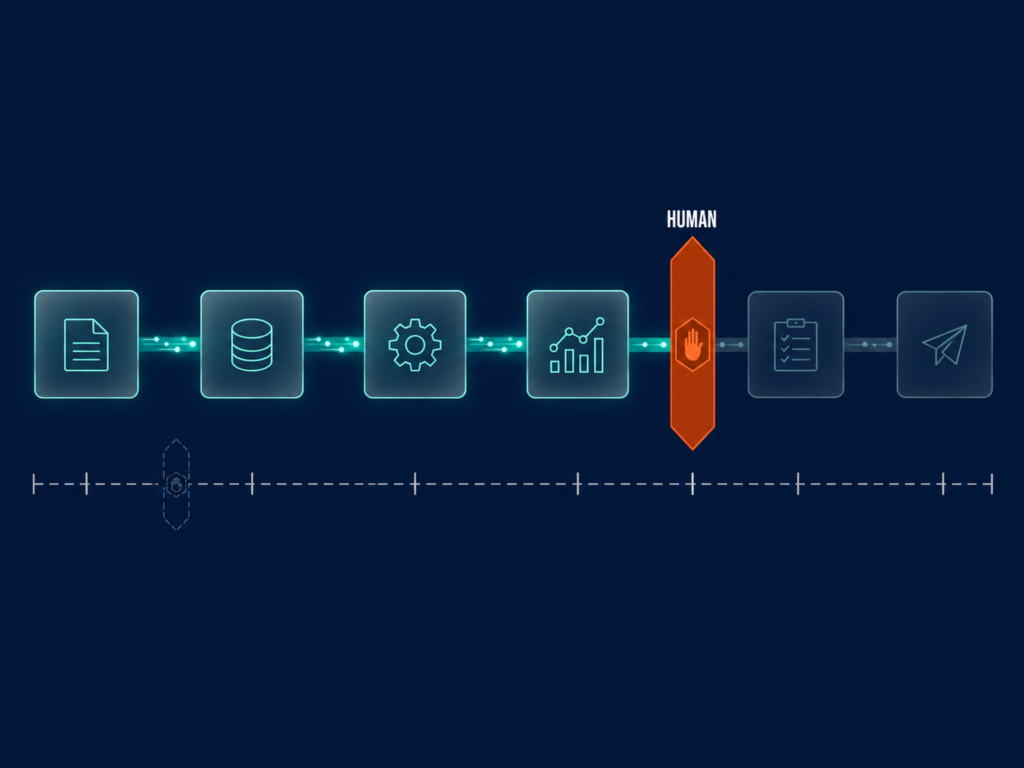
Here’s the shift:
HR technology is moving from AI that suggests to AI that executes. Josh Bersin describes this in his HR 2030 framing as agentic HR: systems that see across the enterprise, anticipate problems, and orchestrate workflows rather than storing records for humans to act on.
Source: Josh Bersin, Introducing HR 2030: A Vision For Agentic Human Resources, 2026
That changes what you have to ask a vendor. Counting AI features in a demo tells you nothing about whether you can govern them.
- What specifically does the agent do without a human in the loop?
- What data was the model trained on, and is our data used in that training?
- Where is the human decision point, and can we move it?
- What is the audit trail when an agent acts on an employee record?
- What happens to the workflow if we turn the AI off?
The third question is the one that separates vendors. Score AI by where the human decision point sits and whether you control it, and you will learn more in one answer than in a forty-minute feature tour.
◆ FROM THE LAB
The Sofia lens: I use AI as a co-pilot, never as the decision-maker. My prompt frameworks cover role clarity and skill translation, inclusive job description drafting, structured interview questions, and market insight synthesis, with human-led validation at every decision point.
My verdict on the general assistants has not changed either. ChatGPT and Copilot are genuine productivity multipliers, not recruiters. Use them for drafting, Boolean string construction, role research, and inclusive language checks.
Avoid them for candidate evaluation or screening decisions, for compliance-sensitive documentation, and for anything that requires full business or cultural context. Those three exclusions are not caution. They are the boundary that keeps the tool useful.
The honest downside
Three risks, and I would rather name them than balance them into mush.
⚠ WATCH OUT
Red flag: algorithmic bias. If the training data reflects historical hiring prejudice, the system reinforces it at scale and hands it a veneer of objectivity that a human decision never had.
AI features that screen or rank candidates engage EU AI Act obligations and existing employment discrimination law. Ask for the audit trail, and read the Lab’s work on bias and compliance in automated hiring before you switch anything on.
Loss of the personal touch. Automation applied to the wrong touchpoints damages candidate and employee experience precisely where the relationship carries the value. A rejection is not a workflow step.
The automation arms race. When every function depends on AI, the dependency itself becomes the risk, and capability quietly atrophies inside the team. You notice it the first time the tool is wrong and nobody can tell.
The counter-position is not caution for its own sake. The gain from this technology is capacity, not headcount reduction. AI absorbs high-volume, low-judgment work so that recruiters and HR Business Partners can do the relationship and judgment work they are uniquely good at.
AI does not replace recruiters. It replaces the parts of the job that stopped recruiters being effective in the first place.
Switch these features on one at a time, with a named human decision point for each. Audit the first hundred outputs before you trust the hundred-and-first.
The Variable is Not The Software
Somewhere right now, two companies are running the same platform from this list. One of them is getting real value from it and the other is paying for a filing cabinet with a login screen.
The platform choice is the smaller half of this decision.
What separates those two companies is whether the system was chosen against named broken processes, costed honestly over three years, and rolled out with an owner and a 90-day adoption measure agreed before signature. Every one of those is a decision you make before the contract, and none of them appear on a pricing page.
It matters more from here, not less. As Josh Bersin’s HR 2030 work argues, the systems arriving over the next few years will act rather than store, which raises the cost of owning a platform your team never adopted.
So do this. Pick two finalists, not six. Run the three-year model on both. Hand the sandbox to two managers who did not choose it and watch what happens without training. Then decide.
If you want the next framework before everyone else gets it, the Lab newsletter is where these models go first.
And if you are running this evaluation right now, I would like to hear which platforms made your shortlist and what your finalists could not answer. Let’s connect on LinkedIn.
