
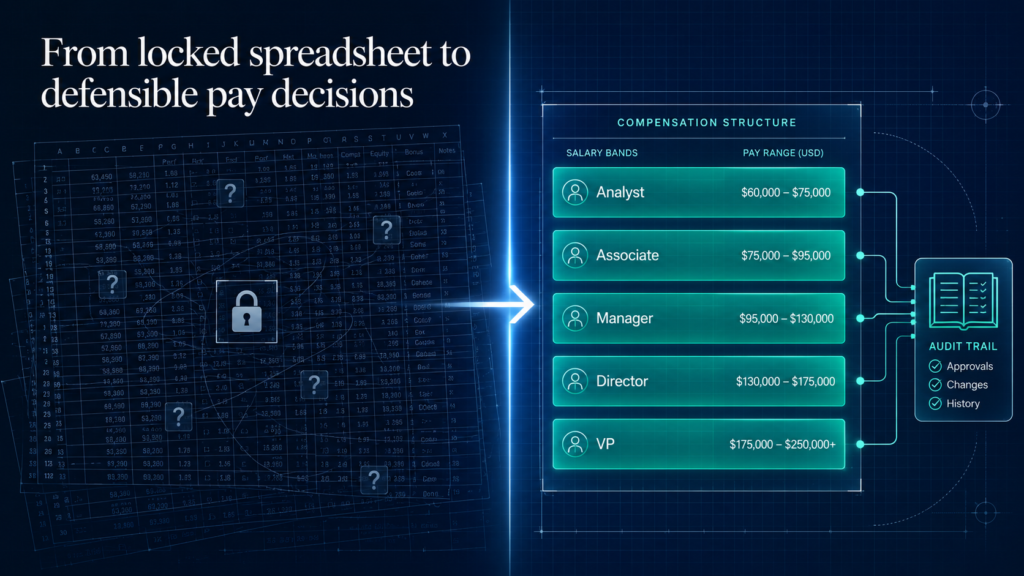
I have spent eight years on both sides of the compensation table. Defending offers against a finance team’s budget, and explaining pay bands to managers who could not see them.
Most teams do not have a compensation problem. They have a compensation-visibility problem.
A master spreadsheet only one analyst understands. Gut calls dressed up as policy. A salary survey that went stale 18 months ago. The software market exists because that combination stopped being defensible.
Here is the reframe most buyer’s guides skip. Buying software will not make your pay fair. It makes your pay decisions defensible, to employees, to finance, and soon, to regulators.
The cost of getting this wrong is not abstract. When employees stop believing pay is fair, trust erodes, and the people you most want to keep start answering recruiter emails.
32%
of employees believe they are paid fairly. Just 34% believe their pay is equitable.
It is not fixing itself. In a May 2025 Gartner survey, only 40% of employees agreed their organization is transparent about the total value of their pay, and just 36% agreed it is transparent about how pay decisions get made.
Source: Gartner, Three Actions for CHROs to Increase Pay Transparency (2025)
Now add a deadline. The EU Pay Transparency Directive takes effect in June 2026, and a wave of US state laws already require posted ranges. Legal requirements vary by jurisdiction, so confirm your own, but the direction is one way. Your pay decisions need to be explainable on demand.
Here is what you will get:
- Every tool explained against the same scorecard, so you can compare like for like
- The four categories of compensation software, and how to tell which one you actually need
- How the leading tools score on G2 and Capterra, and the one thing reviewers consistently flag
- What the software really costs, and the pricing vendors keep behind “contact sales”
- A five-gate decision sequence to choose without getting sold
The Lab approach: no product to sell, no vendor paying for placement, and a working practitioner’s read on what survives contact with a real compensation cycle.
What is Compensation Management Software?
Compensation management software is a platform that centralizes how an organization plans, models, and governs pay, including salary bands, merit and bonus cycles, equity, and pay-equity analysis, in one system instead of spreadsheets. It replaces opinion-led pay decisions with data-led, auditable ones.
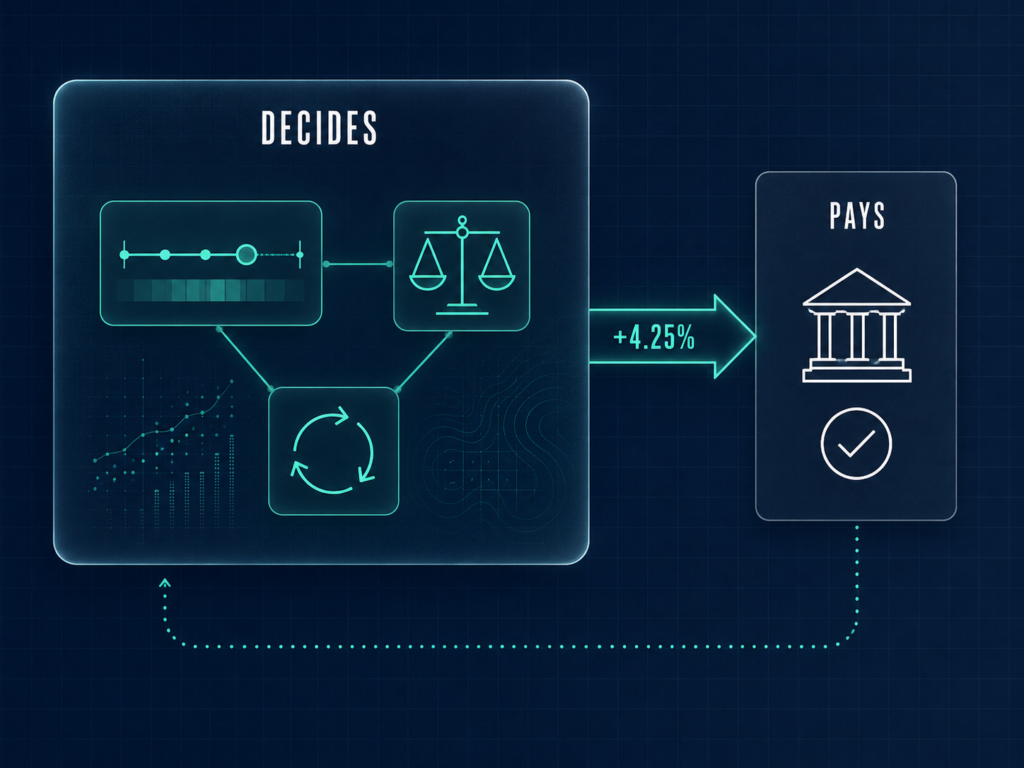
Here is the difference:
Payroll pays people what has already been decided. Compensation software decides what they should be paid in the first place. Payroll runs the transaction; compensation software runs the judgment that feeds it.
Confuse the two and you shop the wrong category. Plenty of teams buy a payroll or HCM suite expecting it to model pay equity and run a merit cycle, then discover the comp module is an afterthought.
The old way
- A locked master spreadsheet only one analyst can read
- Bands that live in a slide deck, invisible to managers
- Pay decisions defended from memory
The Lab Way
- A single source of truth that survives an audit
- Bands visible to every manager who needs them
- A pay decision that survives the analyst’s resignation
⚠ WATCH OUT
Common mistake: shopping for “the best compensation management software” before you know which job you are hiring it to do. The category you skip is the one that determines whether the tool fits at all. We will fix that in the next section.
If you want the foundations behind every term in this guide, the complete HR guide to compensation covers the philosophy and mechanics that sit underneath the tooling.
The Types of Compensation Software, and which one you need
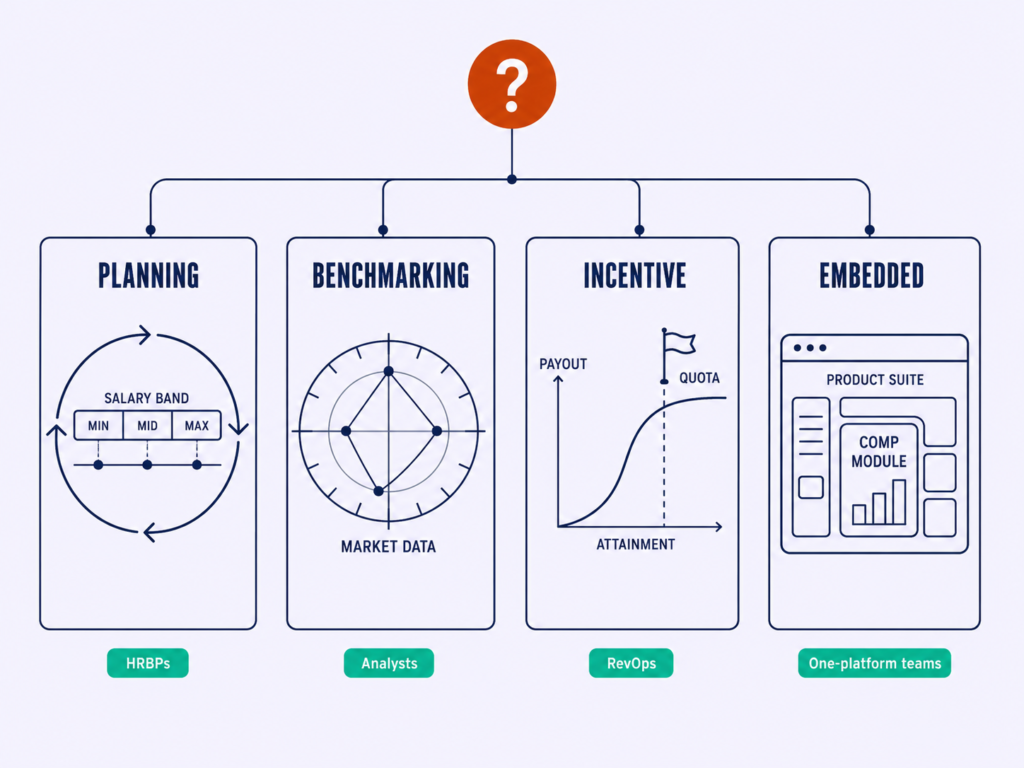
This is where most ranked lists fall apart. They mix salary-data tools, comp-planning platforms, and sales-commission software into one top-ten, which is why their “best” picks quietly contradict each other.
Scope the requirement before you scope the vendor. There are four categories, and “best compensation management software” is an unanswerable question until you know which one you are in.
HR and total-comp planning
Runs merit cycles, salary bands, budget allocation, approvals, and pay-equity analysis. The buyers are HRBPs and compensation teams. This is the category most people mean when they say “comp software.”
Compensation benchmarking and salary data
Supplies the market pay data that sets your bands in the first place. The buyers are compensation analysts and total-rewards leads. A data source, not a workflow engine.
Incentive and sales compensation (ICM)
Handles commissions, quotas, SPIFs, and plan modeling. The buyers are RevOps and finance, not core HR. Different problem, different team, different tool.
HCM-embedded comp modules
Compensation built inside a payroll or HR suite. The buyers are teams that want one platform over best-of-breed. Strong on single-source-of-truth, weaker on depth.
| Category | What it does | Who buys it | When it is the wrong choice |
|---|---|---|---|
| HR / total-comp planning | Merit cycles, bands, budgets, approvals, pay equity | HRBPs, compensation teams | When your real problem is commissions or just market data |
| Benchmarking and salary data | Supplies market pay data that sets your bands | Compensation analysts, total-rewards leads | When you need to run cycles and approvals, not look up numbers |
| Incentive / sales comp (ICM) | Commissions, quotas, SPIFs, plan modeling | RevOps and finance | When you are setting salaries, not paying commissions |
| HCM-embedded modules | Compensation inside a payroll/HR suite | Teams wanting one platform | When you need depth your HCM cannot reach |
The old way
- Pick from a single mixed top-ten list
- Compare a salary-data tool against a commissions engine
- Shortlist by popularity
The Lab Way
- Name your category first
- Compare tools only within that category
- Shortlist by fit, then popularity
◆ PRO TIP
The catch: a few tools genuinely straddle two categories. Pave does planning and benchmarking; beqom does planning and sales performance. That is useful only once you know your primary job to be done. Lead with the category, treat the overlap as a bonus.
Getting the category right is the same discipline as defining the role before you source it. If you are still setting the architecture, our guides on compensation structure with types and examples and compensation analysis methods and templates show how the pieces fit before you add software.
How we Evaluated these Compensation Management Tools
A ranking is only as trustworthy as its method. Here is ours, in two steps, with the conflict of interest declared up front.
Here is the deal:
Step one, inclusion. Every tool here appears repeatedly in the ranking content already winning these keywords, across sources like Gartner Peer Insights, Ravio, PeopleManagingPeople, Comprehensive, CaptivateIQ, ADP, and Paycor. We did not invent a list.
Step two, evaluation. Each tool is then read against real-usage signals on G2, Capterra, and SelectSoftware Reviews: star rating, review volume, and what reviewers consistently praise or flag. Product details come from each vendor’s own site, and where a vendor does not publish a detail, we say so rather than guess.
HR Insights Lab takes no vendor money and ranks nothing it was paid to rank. This is a research-and-review-evidence synthesis plus practitioner judgment, not a claim that we ran every tool through a live cycle.
◆ PRO TIP
Real talk: read review volume before review score. A 4.8 from 40 reviews tells you far less than a 4.5 from 2,000. A high score on a thin sample usually means early adopters and a friendly install base, not proven performance at your scale.
The old way
- A ranking with no stated method
- Affiliate links dressed as verdicts
- Five stars for everyone
The Lab Way
- State the method openly
- Cite the review sites by name
- Declare the conflict, which here is none
One honest caveat before the list. Review scores and salary-budget figures move, so treat every rating here as a snapshot and confirm it live before you sign. If you want to apply the same rigor to your own market data, our step-by-step compensation benchmarking process walks through the method.
The Best Compensation Management Software in 2026
Every tool below is grouped by the four categories from the last section, so the ranking stays internally consistent. Each gets the same scorecard: a Best For, its category, a review-site signal, what it genuinely does well, and a plain “when to avoid” line.
Ratings are drawn from G2, Capterra, and SelectSoftware Reviews and were accurate at the time of writing. Confirm them live before you buy. Product details come from each vendor’s own site.
Category A: best for total-comp planning
These are the platforms HR and compensation teams use to run merit cycles, manage bands, and govern pay. This is the core of the market.
1. Pave
Pave is an end-to-end platform that combines benchmarking with planning: you can market-price jobs, manage pay ranges, run merit cycles, and communicate total rewards in one place. Its market data draws on real-time benchmarks from more than 9,000 companies, with AI-assisted job matching and machine learning applied to its equity-grant database.
The data flows in through live connections to HRIS, ATS, and equity-management systems, and you can filter benchmarks by company size, industry, and growth stage. Pricing is not publicly listed and is quote-based.
When to avoid:
If your workforce sits outside the tech and venture-backed network its data set is strongest in, the benchmarks will feel thinner than a broad multi-industry survey.
2. Comprehensive.io
Comprehensive is an AI-built, fully customizable compensation platform covering compensation cycles, a total rewards dashboard, and pay ranges from a single source of truth. It layers in AI analytics, manager coaching with personalized talking points, and AI-matched benchmarking, plus pay-equity analytics with automatic outlier detection.
It connects to HRIS, performance, and cap-table tools, including Rippling, BambooHR, 15Five, Culture Amp, and Carta, and the company states a no-touch implementation in under two weeks. It is GDPR, CCPA, and SOC 2 Type 2 compliant. Pricing is not publicly listed and is quote-based.
When to avoid:
If you are a large enterprise with deep global configuration needs, a younger platform with lower review volume carries more unknowns than an established incumbent.
3. HRSoft
HRSoft, through its COMPview product, is a highly configurable enterprise compensation suite. It covers total compensation management, pay for performance, long-term incentive management, modeling and calibration across cash, stock, and appreciation awards, milestone bonuses, total rewards communication, carried interest, and variable compensation.
It adds HRSoft Intelligence for AI-assisted modeling and data cleansing, international support with multi-currency and global compliance, budgeting controls, and audit trails. It integrates with HRIS platforms including UKG, ADP, Oracle, and SAP SuccessFactors, with benchmarking partners including Mercer. Pricing is not publicly listed and is quote-based.
When to avoid:
If you want a plug-and-play tool, the configurability that makes HRSoft powerful for complex pay programs is more than a lean team will use.
4. Beqom
beqom is a total compensation platform aimed at the largest organizations, covering salary management, bonus management, long-term incentives, deferred compensation, sales performance management, and performance management. Separate modules handle pay transparency, pay equity through PayAnalytics, and pay intelligence, with AI-based compensation prediction built in.
Its salary management runs global on-cycle and off-cycle reviews with local compliance, budgeting, and benchmarking in one place. Named customers include PepsiCo, Allianz, Mercedes-Benz, and Lowe’s. Pricing is not publicly listed and is quote-based.
⚠ WATCH OUT
When to avoid: enterprise-grade configuration depth means a longer, more involved implementation than a lean mid-market team wants. beqom is built for scale and complexity, not for a fast, light rollout. Match the tool to your maturity, not to its logo wall.
5. Lattice
Lattice runs compensation cycles inside a broader talent suite, so pay decisions sit next to performance, goals, growth, and engagement data. Its compensation features cover benchmarking powered by Mercer data, compensation bands, cycle management with budgets and raise guidance, analytics for budget pacing and pay equity, statement share-outs, and an explicit pay-for-performance workflow.
It integrates with systems including Workday and Greenhouse, and the company cites thousands of five-star G2 reviews across its platform. Pricing is published on a per-product basis on the Lattice site and confirmed at quote.
When to avoid:
If you need deep standalone compensation depth, such as complex long-term incentives or carried interest, its large review base reflects platform breadth, not comp-specific depth.
Before any of these earn a demo, the strategy has to exist first. Our guides on how to build a compensation strategy and compensation philosophy with a framework and examples are the work that makes a planning tool worth buying.
Category B: best for compensation benchmarking
These tools supply the market data that sets your bands. The decision here is a trade-off between data freshness and data breadth, and you choose by matching the source to your workforce.
6. Ravio
Ravio is a real-time total reward benchmarking platform with data covering 50+ countries and 300+ positions, sourced from more than 1,400 companies and verified by an in-house benchmarking and data-science team. It benchmarks base salary, equity, variable pay, and 60+ benefits, and you connect your HR system so its team can map roles to a job-levelling framework.
Beyond benchmarks, it offers salary bands and pay-equity tooling that compares each employee to their market target. Pricing is not publicly listed and is quote-based.
When to avoid:
If your roles are concentrated in US non-tech sectors, a provider with deeper domestic survey history will cover your jobs more fully.
7. Mercer
Mercer is the authoritative survey-data standard for total rewards. Its benchmarking database draws on roughly 50,000 participating organizations, 25 million incumbents, and 400,000 roles, and its Total Remuneration Survey spans 140 locations on more than 25 years of methodology.
The Mercer Job Library gives a globally consistent job catalog, and reports are delivered through the Mercer WIN platform. Data is collected from HR professionals and analyzed for representativeness. Pricing is not publicly listed and is purchased by survey or subscription.
When to avoid:
If you need data that refreshes continuously, the survey-cycle cadence will always lag a real-time source like Ravio or Pave.
8. Payscale
Payscale spans data and software across three products: Payfactors for job pricing and survey management, Marketpay for enterprise benchmarking and data modeling, and Paycycle for end-to-end compensation planning and pay-raise management. Its data set runs to more than 250 billion data points across 15,400 job titles, and the company reports its customers represent over 20% of the US workforce.
It integrates with systems including Workday, BambooHR, SAP, UKG, Oracle, ADP, and Paycom. Pricing is not publicly listed and is quote-based.
When to avoid:
If you want one simple tool, the breadth split across three products is more surface area than a small team needs to manage.
9. Salary.com CompAnalyst
CompAnalyst Market Data is Salary.com’s HR-reported market-pricing source, built on more than 800 million data points across 20,000+ jobs and 225 industries, with global coverage spanning 100+ countries. Its Market Data Max tier adds AI-guided job matching, custom pay-market configuration, and the ability to benchmark internal ranges and model proposed pay changes across the organization.
The data is 100% HR-reported, which gives prices for jobs not always found in traditional surveys. Pricing is not publicly listed and is quote-based.
When to avoid:
If continuous freshness is your priority, an HR-reported survey model updates on a slower rhythm than real-time integrated sources.
Pave, covered in Category A, also belongs in any benchmarking shortlist because its real-time market data is one half of the platform.
Category C: best for incentive and sales compensation
If your problem is commissions, this is your category, and the buyer is usually RevOps or finance, not HR. Two tools dominate the conversation.
10. CaptivateIQ
CaptivateIQ is a sales commission and incentive platform used by more than 800 companies, built around a no-code visual modeling engine called SmartGrid. It automates commission calculations by pulling sales data from connected CRM systems, supports tiers, accelerators, bonuses, splits, overlays, draws, and partner commissions in one framework, and gives payees real-time payout statements.
Its CaptivateIQ Assist adds AI agents including an Admin Co-Pilot, a Payee Coach, and a Plan Advisor, and it integrates with Salesforce and NetSuite under SOC 1 and SOC 2 compliance. Pricing is not publicly listed and is quote-based.
When to avoid:
Do not buy it for salary planning. It is a commissions engine for a different buyer, and using it to set base pay is a category error.
11. Xactly
Xactly is the enterprise incumbent for incentive compensation, part of a wider Intelligent Revenue Platform. Its products include Incent for incentive compensation management, Design for plan design, Plan and Manage for territory and quota work, Forecast for AI-driven prediction, and Commission Expense Accounting for ASC 606 and IFRS 15 compliance.
It runs natively within Salesforce through Xactly for CRM and adds pay-and-performance benchmarking through Xactly Insights. Pricing is not publicly listed and is quote-based.
⚠ WATCH OUT
When to avoid: if you want a fast, light rollout, the enterprise depth that makes Xactly powerful comes with a heavier implementation than ease-of-use-first tools like CaptivateIQ. And like any ICM tool, it is the wrong instrument for HR salary planning.
If commissions are your real project, start with the design before the platform. Our guides on sales compensation plans, models, and examples and incentive compensation structures and design cover the plan logic these tools automate.
Category D: best HCM-embedded comp modules
Embedded comp wins on single source of truth and admin simplicity. It loses on depth against best-of-breed. The question is whether your HCM already does enough.
12. Workday Compensation
Workday Compensation runs inside the Workday HCM suite, so pay decisions draw on the same system of record as the rest of HR. It offers real-time total rewards statements, in-flight cost modeling to see the financial impact before committing, and embedded market benchmarks through Compa and Workday Wage Intelligence.
It automates high-volume changes and eligibility rules, and Workday states customers reduced end-to-end compensation planning cycles by 80%. Pricing is not publicly listed and is quote-based.
When to avoid:
If you are not already a Workday shop, adopting the suite for the comp module alone is a large commitment for one capability.
13. HiBob
HiBob, known as Bob, is a mid-market people platform with compensation built in. It plans and runs salary reviews with recommendations, alerts, and guidelines, gives managers compensation worksheets showing history and external benchmarks, and runs AI-powered equity audits that flag pay gaps by role, level, gender, and location.
It handles base pay, bonus, and equity across international teams with multi-currency views, offers benchmarking powered by Mercer across 60+ countries, and supports multi-layered approval workflows with real-time dashboards. Pricing is not publicly listed and is quote-based.
When to avoid:
If you need enterprise-grade standalone comp depth, such as complex long-term incentives, an embedded module will reach its limits.
14. Deel
Deel pairs global payroll with compensation tooling across 150+ countries. Its compensation product lets you allocate salary and bonus budgets to managers, track usage in real time, see how workers are paid against bands using compa-ratios, and sense-check decisions with Deel Global Salary insights spanning 150+ countries.
It is built to keep teams compliant with the EU Pay Transparency rules and US state laws, and it carries SOC 2 Type II, ISO 27001, and GDPR compliance. Pricing tiers are published on Deel’s site, with comp specifics confirmed at quote.
When to avoid:
If your need is deep domestic compensation planning rather than global pay, a dedicated planning tool will go further. Some reviewers also flag pricing and support as areas to probe in your own evaluation.
15. Payroll-led suites: ADP, Paycor, Paylocity, and Paycom
These four payroll-led platforms each offer a compensation module that is “good enough” if you already run payroll there. ADP Workforce Now Compensation Management uses interactive worksheets and modeling against salary ranges, market rates, and budgets, supports merit, promotions, lump sums, equity, and bonuses, and enforces approval routing, with CompAnalyst analytics available across 16,000+ job titles. Paycor Compensation Planning runs increases, bonuses, and rewards with performance-based recommendations, what-if scenarios, compa-ratios, and access to benchmark data on more than 10 million US jobs.
Paylocity automates compensation plans with budgets, eligibility, proration, and multi-approval, and its Market Pay tool uses data from Salary.com. Paycom’s Compensation Budgeting builds a merit matrix around budget, performance, and compa-ratios, with reports like the Compa-Ratio and Compensation Budget Forecasting reports and built-in pay-equity and audit-trail support. All four price by quote.
The old way
- Buy best-of-breed reflexively
- Add a tool and a login for every need
- Pay twice for data the HCM already holds
The Lab Way
- Check what your HCM already covers
- Add a dedicated tool only for real gaps
- Buy depth when, and only when, you need it
◆ FROM THE LAB
The Sofia lens: earlier in my career, when I owned end-to-end hiring inside a large enterprise, the most underused asset was the data already sitting in our HCM. We ran a “First Look” policy, a 48-hour internal posting window before any role went external, and the only reason it worked was that compensation and employee data lived in the same place.
That visibility let us see who was ready to move and what it would cost to move them fairly. The result: 23% of hires that year were internal moves, and those internal hires reached full productivity in 28 days versus 67 for external ones. None of it needed another tool. It needed comp and people data in one system, which is exactly the case for an HCM-embedded module when your needs are not yet specialized.
If you want the wider context on suite versus best-of-breed, the complete HR guide to compensation frames the governance trade-offs in full.
If a vendor-neutral buyer’s guide like this one saves you a bad purchase, the next one is worth getting early. Join the Lab newsletter to get the next practitioner buyer’s guide before everyone else does.
Best Compensation Benchmarking Tools
Benchmarking deserves its own section because the data underneath your bands is the decision that everything else inherits. Choose it by data source, not by brand.
Here is how to choose your data source:
There are three data models, and each trades something. Traditional surveys, like Mercer, WTW, and the SHRM data service, give depth and authority but refresh on a survey cycle. Real-time, HRIS-integrated data, like Ravio and Pave, refreshes continuously but is strongest where its contributing network is dense.
Aggregated and crowd-sourced data, like parts of Payscale, casts the widest net but blends signal quality. The right model is the one that matches your workforce, not the one with the most famous name.
This is the same rigor as mapping a talent market before a vacancy opens. In my own work, treating market data as something to interrogate rather than accept moved quality of hire by double digits, between 12 and 14% when competition and talent-landscape analysis fed the decision. Benchmarking is the compensation version of that discipline.

The four-question data-source test:
- Does it cover my geography, down to the locations I actually hire in?
- Does it cover my functions and levels, not just generic job titles?
- How fresh is the data, and how often does it refresh?
- Is the methodology transparent enough to defend to an auditor?
That last question is no longer optional. Pay transparency has moved from nice-to-have to compliance requirement, and your bands now have to be defensible against a named, dated source.
Top 2025 priority
Pay transparency and pay communication are named top compensation priorities as transparency laws expand across US states and the EU Pay Transparency Directive takes effect in June 2026.

◆ PRO TIP
The honest downside: no single benchmark covers every role, every geography, and every level at the freshness you want. The fix is not to find a perfect source. It is to blend two, a deep survey for breadth and a real-time feed for movement, and to document which source set each band.
For the method behind the data, our step-by-step compensation benchmarking process and our guide to compensation analysis methods and templates turn these four questions into a repeatable workflow.
Key Features to Look for in Compensation Management Software
Feature lists are where buyers lose the plot. Every vendor checks every box, so the box count tells you nothing about which tool changes a pay outcome.
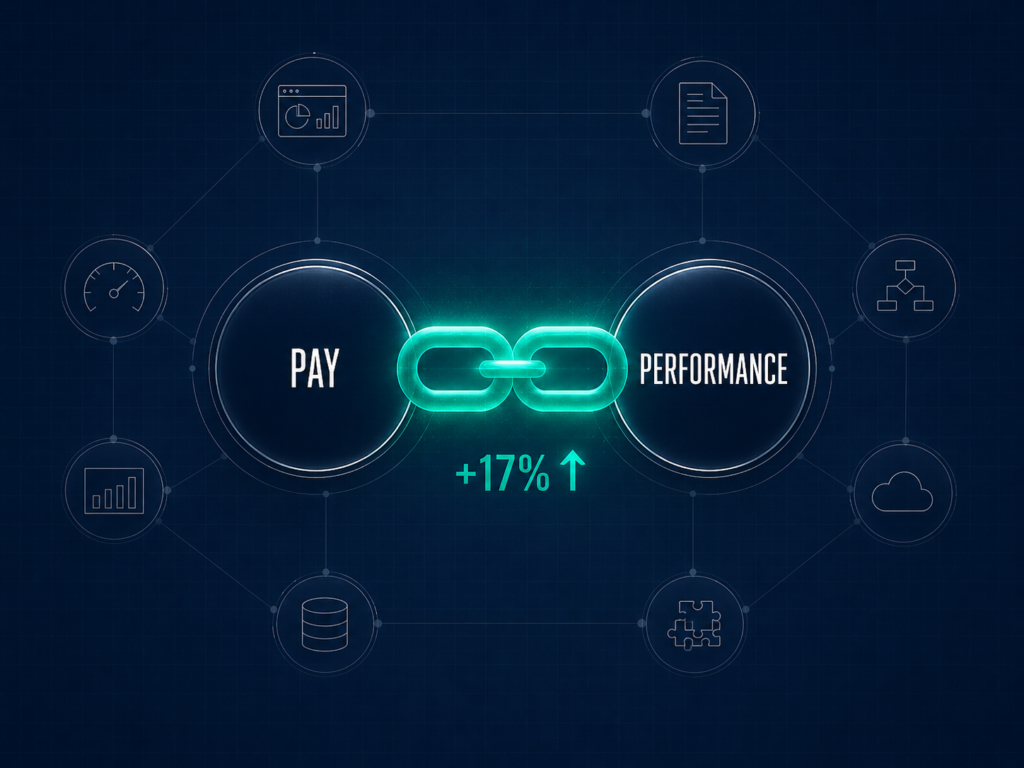
The feature that most predicts return is the one that links pay to performance. Get that connection working and the rest of the platform earns its keep. Skip it and you have bought a very expensive dashboard.
The data backs the priority. When employees believe there is a strong link between pay and performance, they are up to 17% more productive than when they do not.
Source: Gartner, Pay for Performance research (2026)
Here is what actually moves a number:
- Salary band management, so every role has a defensible range
- Merit and bonus cycle automation, so the cycle runs without spreadsheet errors
- Pay-equity analysis, so you find gaps before a regulator or an employee does
- Benchmarking integration, so bands update against the market, not memory
- Approval workflows and an audit trail, so every decision is traceable
- Scenario and budget modeling, so you see the cost before you commit
- Employee comp statements, so people see the full value of their pay
- HRIS and payroll integration, so approved numbers flow without rekeying
The same principle I apply to sourcing applies here. The right five candidates beat 500 wrong ones, and the right three features beat 30 you will never open.
The old way
- Tick every feature box on the RFP
- Score tools on total feature count
- Pay for capability you will never deploy
The Lab Way
- Name your three real pains: equity, transparency, or cycle speed
- Weight the features that map to those three
- Treat the rest as nice-to-have
⚠ WATCH OUT
Anti-pattern: buying for the analytics dashboard instead of the pay-performance linkage. A beautiful chart that nobody acts on changes no one’s pay. The value is in the decision the feature enables, not the visualization it produces.
Features serve the strategy, never the other way around. If the strategy is not set yet, start with how to build a compensation strategy before you weight a single feature.
How Much does Compensation Management Software cost?
Pricing in this market is genuinely opaque. Most vendors quote on request, which is itself the first thing to name out loud.
Here is what you will actually pay:
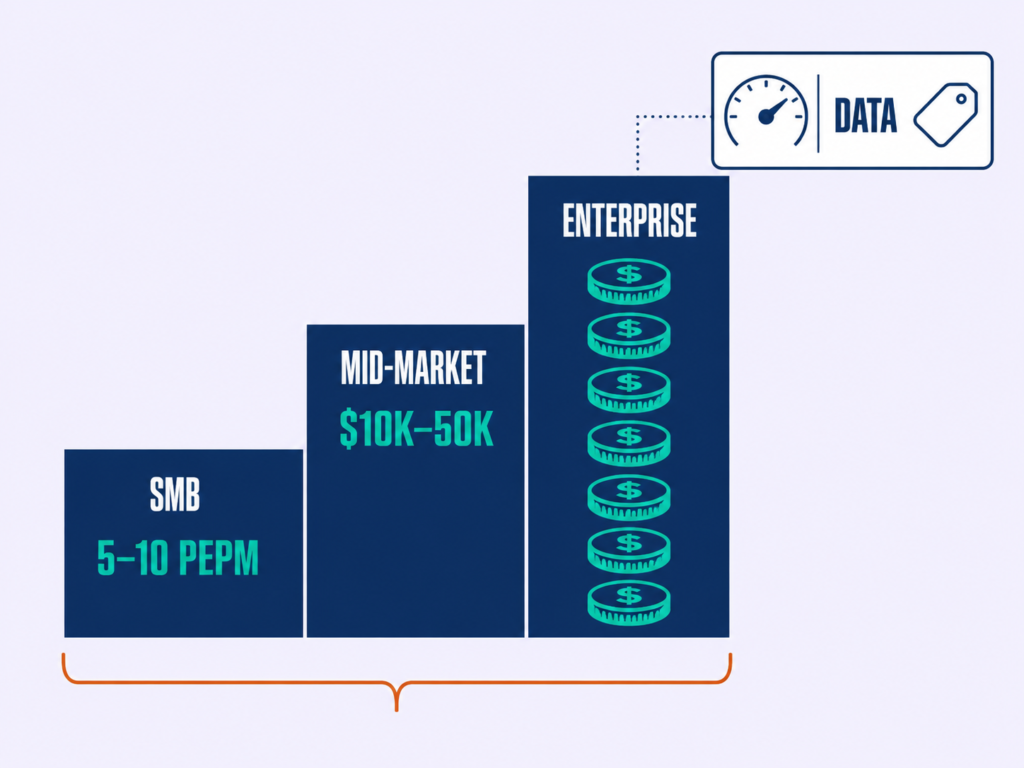
There are three common models. Per-employee-per-month pricing, commonly cited in Capterra buyer data at roughly $5 to $10 PEPM. Annual platform fees, typically in the $10,000 to $50,000 range for mid-market and into six figures for enterprise. And benchmarking-data subscriptions, which are usually priced separately from the planning software.
| Tier | Typical model | What you get |
|---|---|---|
| SMB | Per-employee-per-month (often ~$5 to $10 PEPM) | Core cycle automation and pay bands |
| Mid-market | Annual platform fee (~$10K to $50K) | Planning, benchmarking, approvals, statements |
| Enterprise | Annual fee into six figures | Global configuration, LTI, pay equity, integrations |
| Benchmarking data | Separate subscription | Market data feeds that set your bands |
Now anchor the cost to the budget it governs. Merit budgets are tight, with employers forecasting a 3.5% total salary increase budget for 2026. Every misallocated point of a 3.5% budget is real money, so a comp tool earns its license fee only if it makes that budget land more accurately.
Source: Mercer, via WorldatWork (2026)
◆ FROM THE LAB
My experience: hold every vendor to the standard of a number it can move. Earlier in my career, when I rebuilt sourcing inside a large enterprise, total rewards and process discipline cut cost per senior engineering hire from roughly 6.5 to 7.5 lakh rupees down to 3 to 3.8 lakh, a 45 to 55% reduction.
Agency reliance fell 60 to 70% as direct sourcing, internal referrals, and pre-built talent pools replaced retained search, and time to fill on critical roles dropped from 70 to 80 days to 45 to 50. That is the ROI yardstick. A compensation tool should move cost per hire, merit-budget accuracy, or pay-gap remediation cost in the same provable way. If a vendor cannot tie its price to a number on your side, it is overhead.
◆ PRO TIP
Real talk: when a vendor says “contact sales,” that is the start of a negotiation, not a wall. Anchor your offer to the budget the tool governs and the number it must move, and ask for the per-employee rate in writing so you can compare across vendors on the same basis.
To build the ROI case before you sit through a demo, our guide to compensation analysis methods and templates gives you the model.
How to Choose the Right Compensation Management Tool
The best demo wins more deals than the best tool. The way to beat that is to pre-qualify against five gates before you let anyone present.

Here is how to choose:
1
Name your category
Planning, benchmarking, incentive, or embedded. This single decision eliminates most of the market and stops you comparing a commissions engine to a salary planner.
2
Check size and maturity
A lean team is not a small enterprise. Match the tool to where you are now, because an enterprise platform bought by a 200-person company becomes shelfware.
3
Map your compliance footprint
Identify which transparency laws apply to you, including US state rules and the EU Pay Transparency Directive. The tool has to support disclosure where you operate, not where it was built.
4
Face the integration reality
Check what your HCM already does before you add a tool and a login. Often the suite covers 80% of the need, and you are buying a tool for the missing 20%.
5
Run the ROI test before the demo
Decide which number the tool must move and by how much. Only the vendors that can speak to that number earn a demo slot.
◆ FROM THE LAB
Real talk: software will not fix a systems problem. The most common reason I see pay-driven retention fail is that the organization treated a systems failure as a compensation failure.
Pay matters up to a threshold. Beyond it, people leave because of unclear career paths, weak managers, and role design that fights how work actually gets done. A compensation tool cannot fix any of those. It amplifies whatever operating model you already have, so a great tool on a broken system just produces broken decisions faster. Fix the system first, then buy the instrument that scales it.
The decision sequence only works on top of a real strategy. Pair it with how to build a compensation strategy and compensation philosophy with a framework and examples before you shortlist.
Pitfalls for Implementing Compensation Management Software
No competitor covers what happens after you sign. That is where most of the value, and most of the failure, actually lives.
Here is what breaks after you buy:
⚠ WATCH OUT
Pitfall one, garbage in. Bad band and job-architecture data makes a great tool useless, because the platform only computes what you feed it. The fix: clean your job architecture and band logic before go-live, not after.

⚠ WATCH OUT
Pitfall two, the adoption gap. Managers will not use a tool they were not trained on or given a reason to use. The fix: win the managers before launch with training and a clear stake in the outcome.
⚠ WATCH OUT
Pitfall three, over-configuration. Enterprise tools can stall in long deployments when every edge case becomes a custom rule. The fix: configure for the 80% case, launch, then refine, rather than chasing perfection before day one.
⚠ WATCH OUT
Pitfall four, treating the tool as the strategy. The platform accelerates a decision model; it does not supply one. The fix: keep the operating model human-owned and let the software execute it.
◆ FROM THE LAB
My experience with AI-led tooling holds here too: use the platform as a co-pilot, not a decision-maker. The tools I have rolled out worked when they absorbed high-volume, low-judgment work and left the judgment to people.
Human-led validation at every decision point is what kept the output trustworthy. A compensation platform is the same. It should speed up a clean process, and it will faithfully speed up a broken one if you let it.
For the governance context that prevents these failures, the complete HR guide to compensation covers how to set up the operating model the tool plugs into.
Frequently Asked Question
What is the best compensation management software?
There is no single best; it depends on your category. For total-comp planning, Pave, Comprehensive, and Lattice rank well. For benchmarking, Ravio, Mercer, and Salary.com CompAnalyst lead. For sales and incentive comp, CaptivateIQ and Xactly. Match the tool to the job before the brand.
How much does compensation management software cost?
Most vendors price per employee per month, commonly $5 to $10 PEPM, or as annual platform fees. Mid-market fees run roughly $10,000 to $50,000, and enterprise pricing reaches six figures. Benchmarking-data subscriptions are usually priced separately. Because most list “contact sales,” budget against the spend you are governing.
What is the difference between payroll and compensation management software?
Payroll pays people what has already been decided; compensation management software decides what they should be paid. It handles salary bands, merit and bonus cycles, equity, and pay-equity analysis, then feeds approved numbers to payroll. They are complementary, not interchangeable.
Do I need compensation software if I already have an HCM?
Often no. Suites like Workday, HiBob, and payroll-led platforms such as ADP, Paycor, Paylocity, and Paycom include comp modules that cover most mid-market needs. Add a best-of-breed tool only when you need depth your HCM cannot reach, such as advanced pay equity, real-time benchmarking, or complex incentive plans.
What are compensation benchmarking tools?
They supply the market pay data, by role, level, and geography, that sets your salary bands. Models range from traditional surveys like Mercer and WTW to real-time HRIS-integrated data like Ravio and Pave, and aggregated sources like Payscale. Choose by coverage, freshness, and methodology transparency.
Conclusion
The best comp tool is not the highest-rated one. It is the one that matches your category, your size, and the number you need to move.
The teams that win compensation in 2026 are not the ones with the biggest software budget. They are the ones who fixed the system before they bought the tool.
And the spending pressure is only building. Gartner Digital Markets reports that 70% of HR leaders expect HR software costs to rise, and 60% plan to increase investment in HR tools, which means a disciplined buying decision now compounds while an undisciplined one repeats.
Source: Gartner Digital Markets, HR software trends and buyer insights (2025)
So do this. Name your category. Run the five gates. Hold every vendor to a number it must move, and give only the survivors a demo. Then implement over the next 90 days and measure the impact against the number you named.
If this guide saved you from a bad purchase, join the Lab newsletter to get the next vendor-neutral buyer’s guide before everyone else does. And if you are shortlisting comp tools right now, connect with me on LinkedIn and let’s compare notes.
